
VeoRunner
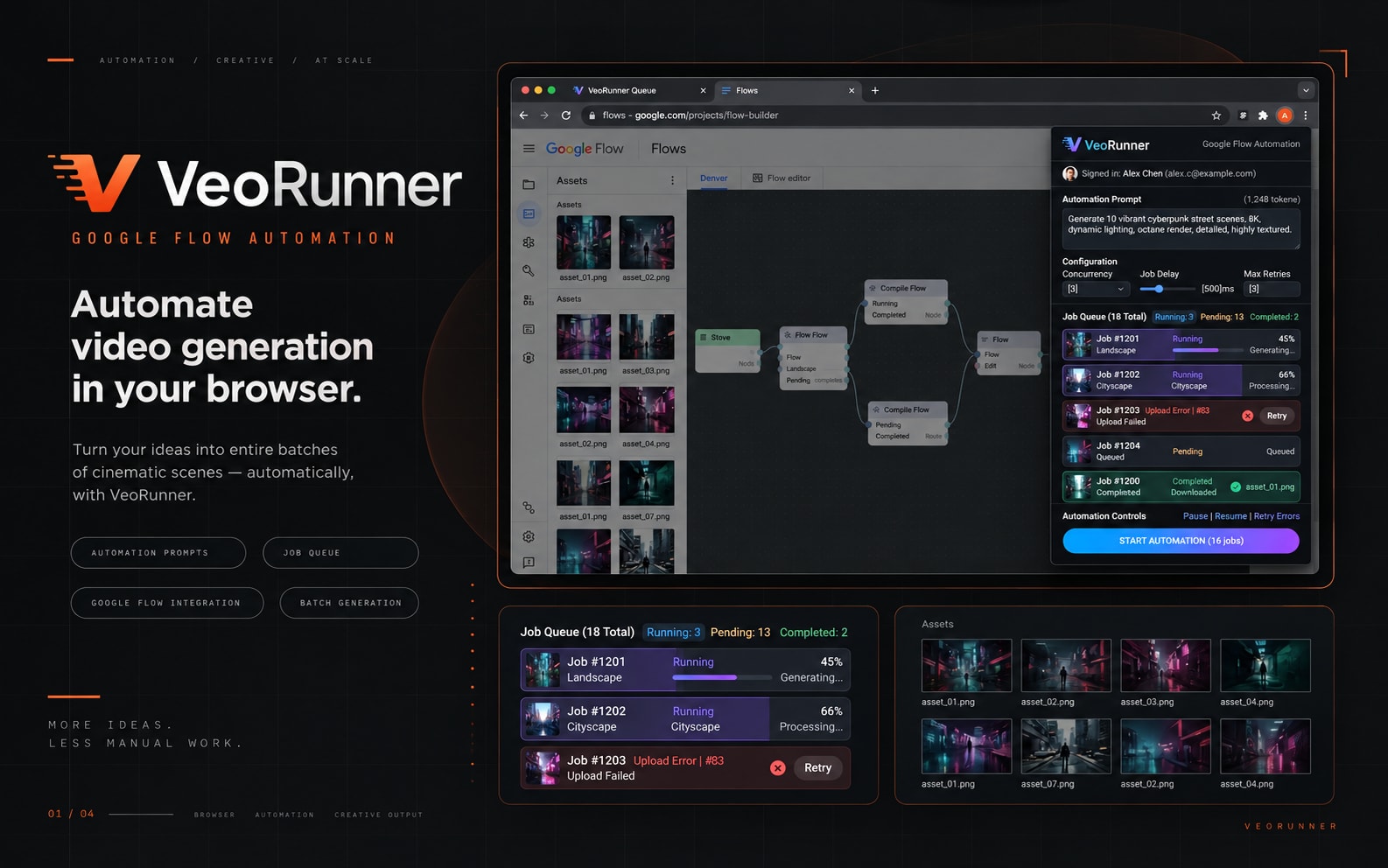
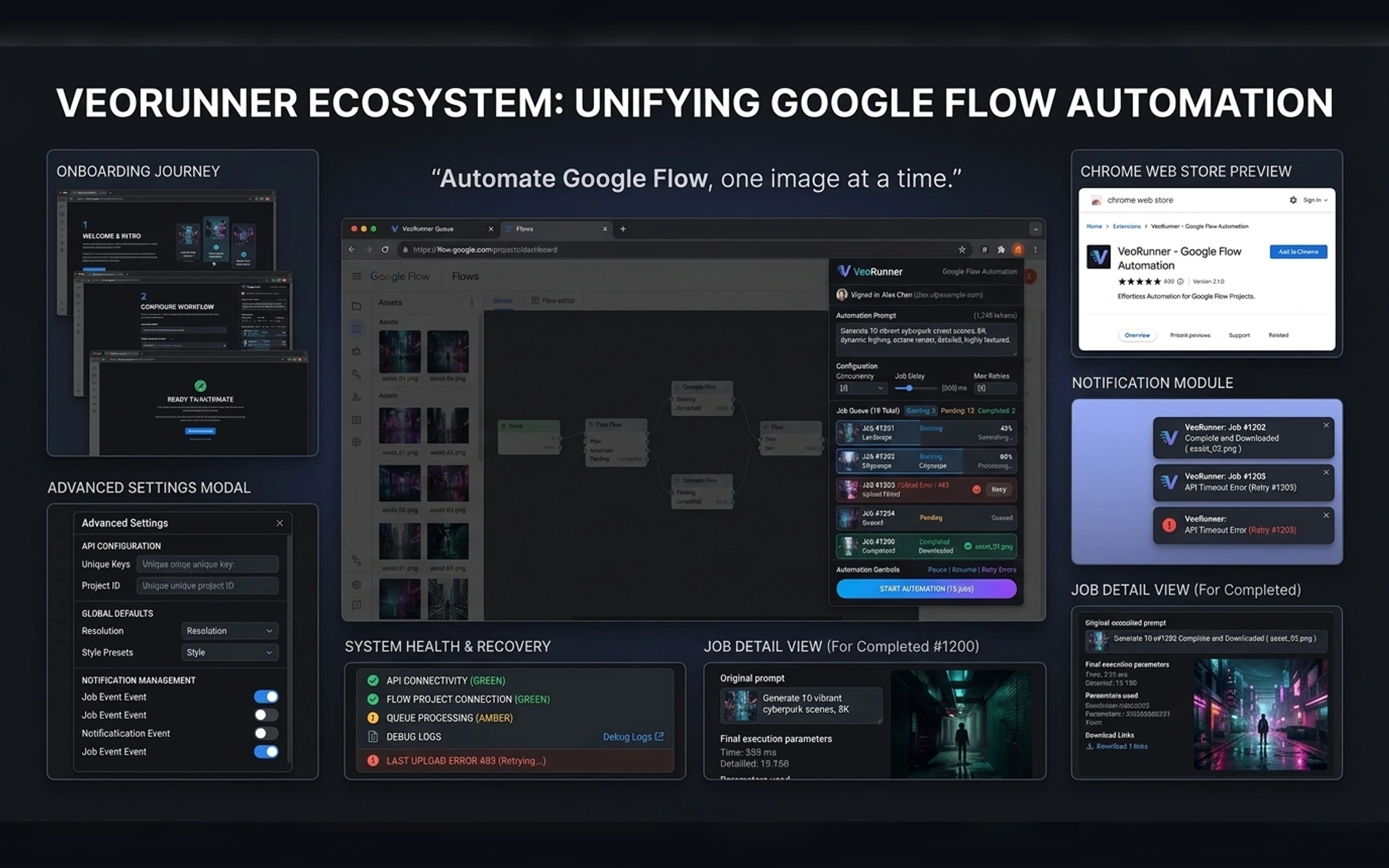
VeoRunner automates multi-image prompt workflows in Google Flow by managing queues, sequential submission, retries, recovery, and result handling. Users repeat image uploads and prompts manually, lose progress after UI errors, and need a reliable queue that never duplicates or skips work. The case study demonstrates how a browser extension can remain compact while making complex automation behavior understandable and recoverable.
Self-initiated browser automation extension
2026
Product Designer, Extension Developer, Automation UX Designer
7 weeks
Project Gallery
Images and videos
1 / 5
Product Context
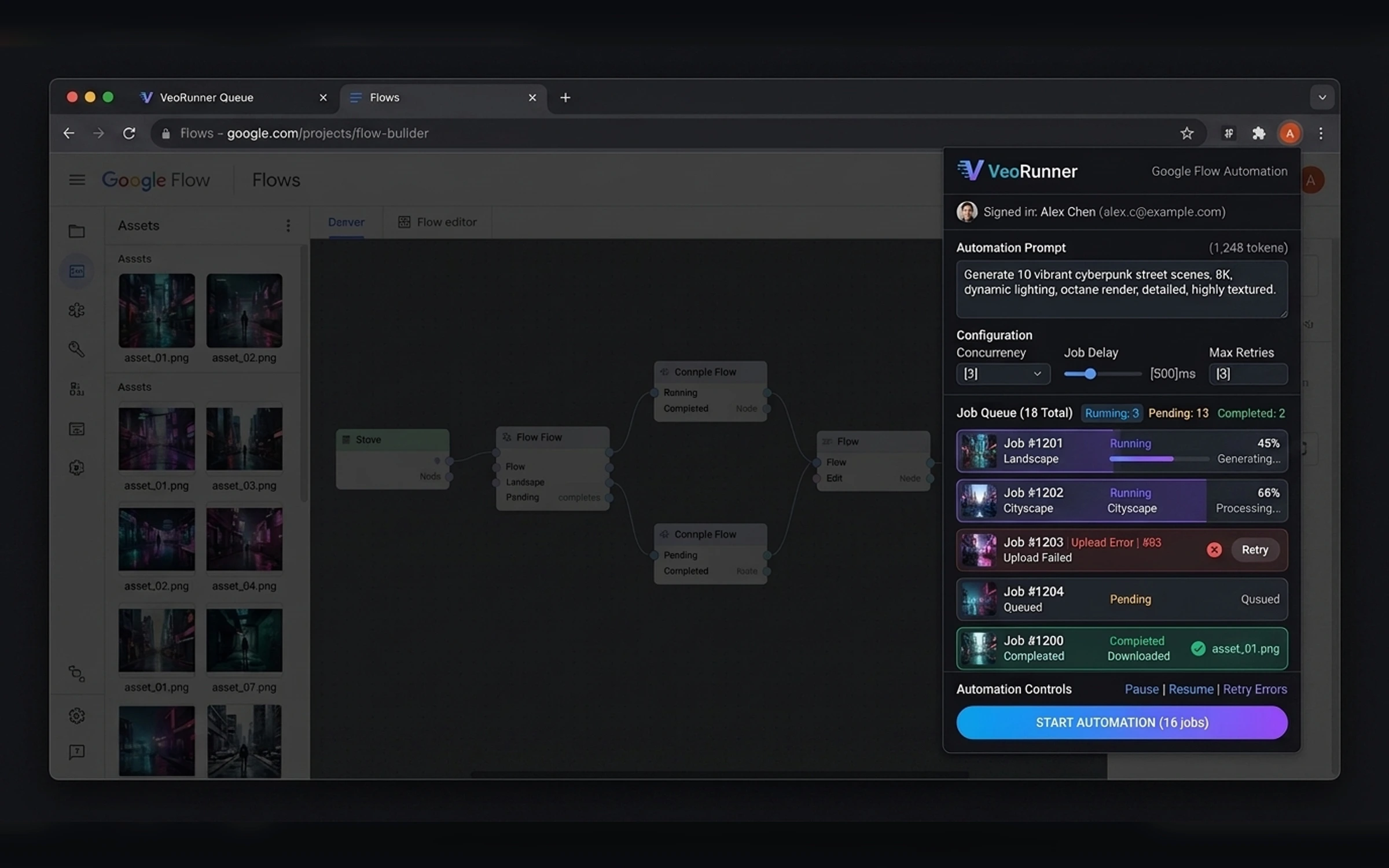
VeoRunner automates multi-image prompt workflows in Google Flow by managing queues, sequential submission, retries, recovery, and result handling.
The User Problem
Objectives
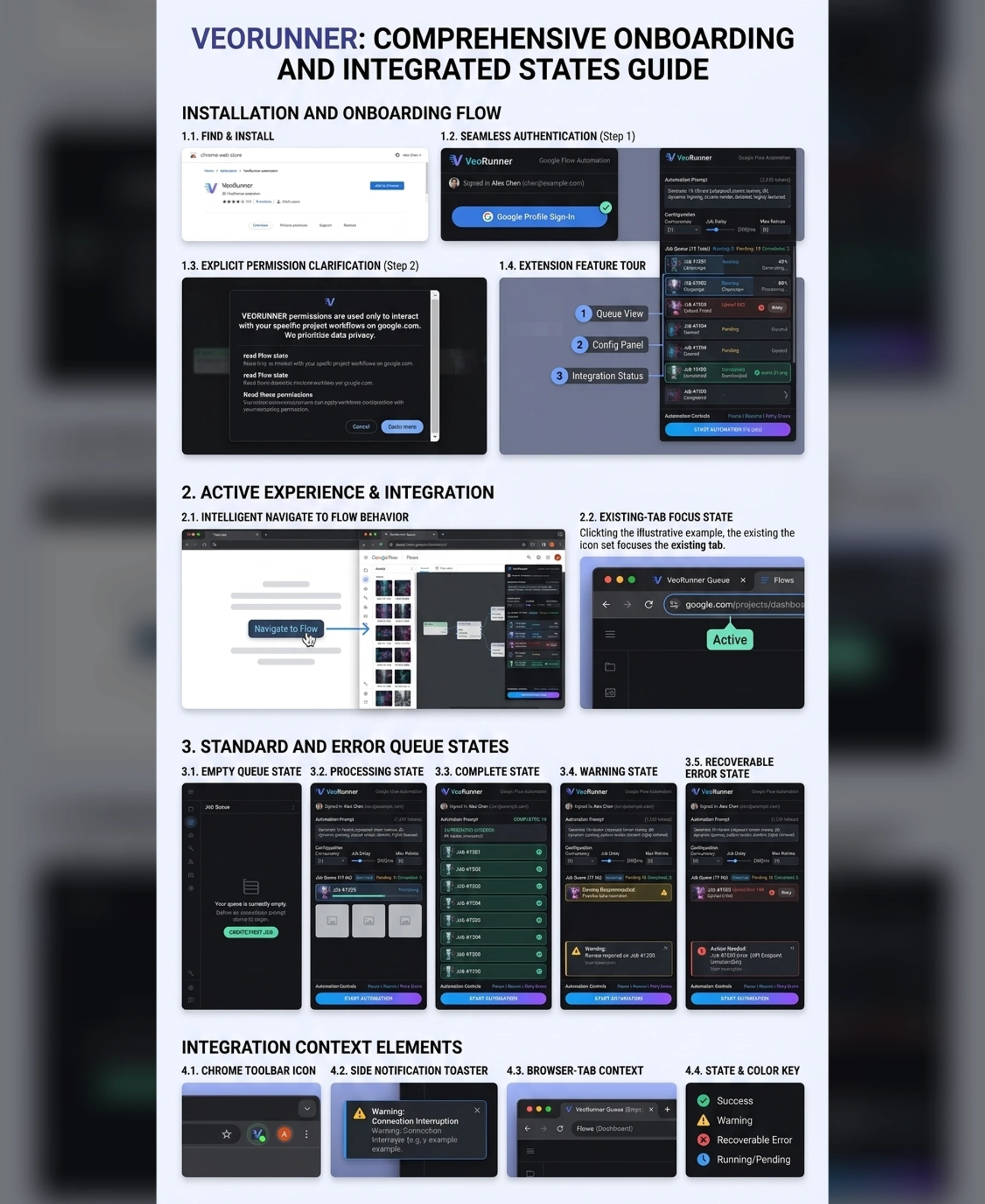
The extension experience was shaped around clear workflow control, browser permissions, and recoverable states.
- Create a fast popup and full side-panel experience
- Design predictable queue and progress behavior
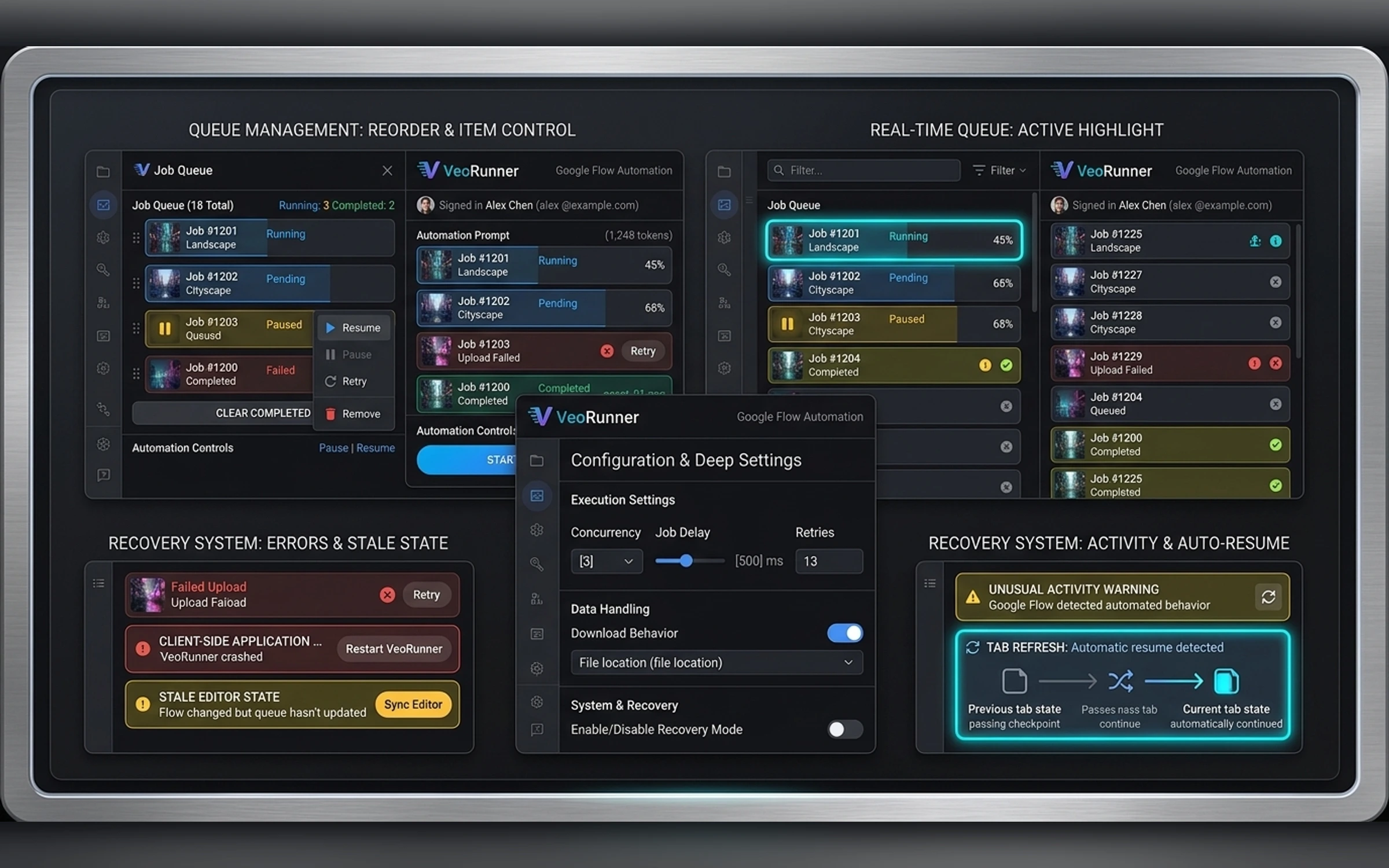
- Support pause, resume, retry, and crash recovery
- Explain permissions and website access clearly
- Create polished onboarding and Web Store presentation
Core Workflow
Automate the queue. Keep the flow moving.
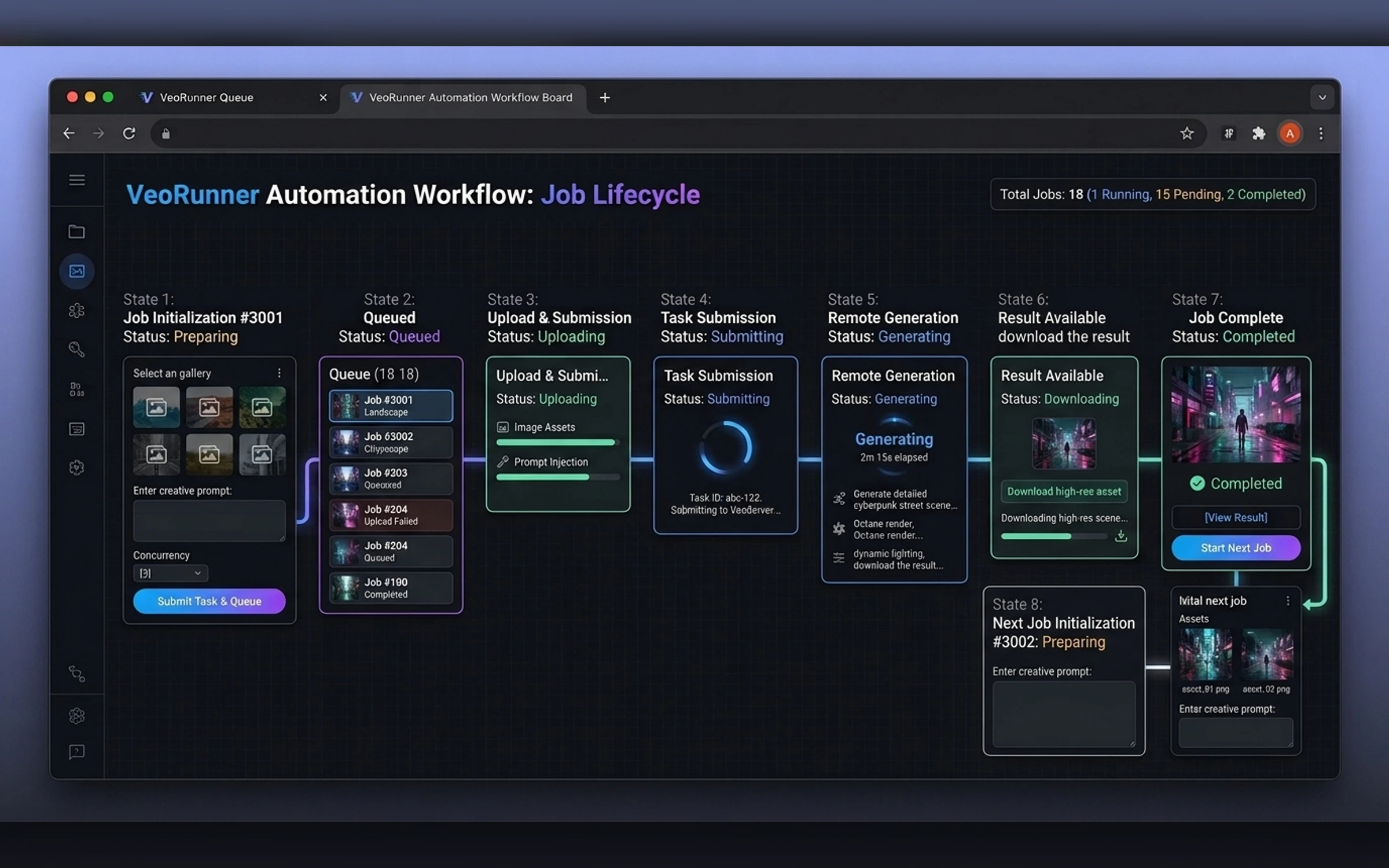
- Single prompt with multiple images
- Queue ordering
- Pause and resume
- Retry and recovery
- Duplicate prevention
- Progress tracking
- Settings
- Notifications
- Chrome profile sign-in
Visual System
Premium dark productivity UI with navy surfaces, electric blue and violet highlights, mint success states, clear status chips, compact information density, and strong accessibility.
Browser Integration
The interface explains supported pages, permissions, active-tab status, automation progress, and recovery actions without blocking normal browsing.
- TypeScript
- Chrome Manifest V3
- React
- IndexedDB
- Chrome APIs
Final Extension Gallery
The gallery follows the supplied extension brief, UI hierarchy, and exact image manifest.
Portfolio Disclosure
More work from nearby categories.
Chrome Extensions
MetaQueue AI
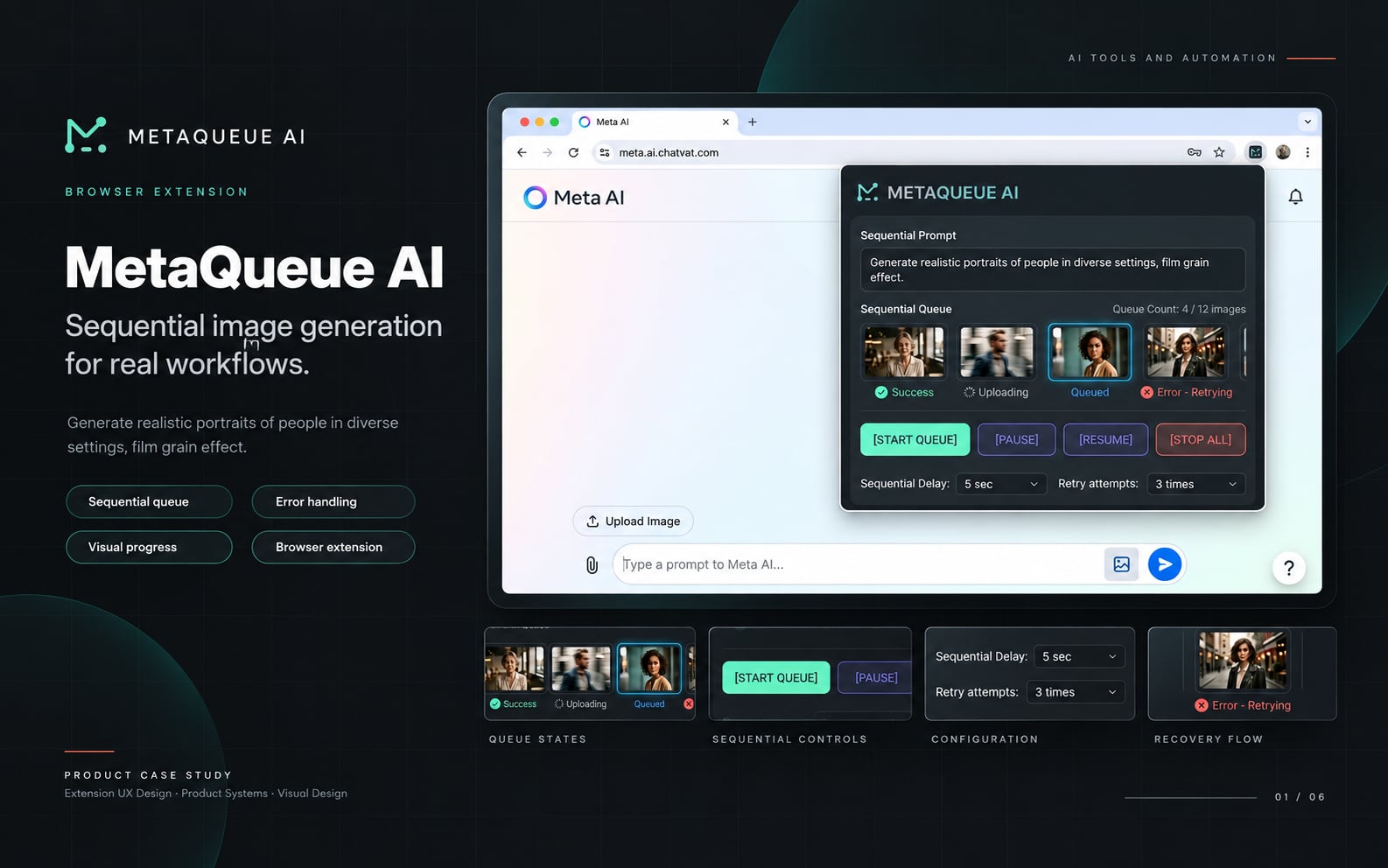
MetaQueue AI is a complete Chrome extension case study combining product strategy, popup UX, browser automation, state design, recovery behavior, and Chrome integration.
Chrome Extensions
QwenFlow Assistant
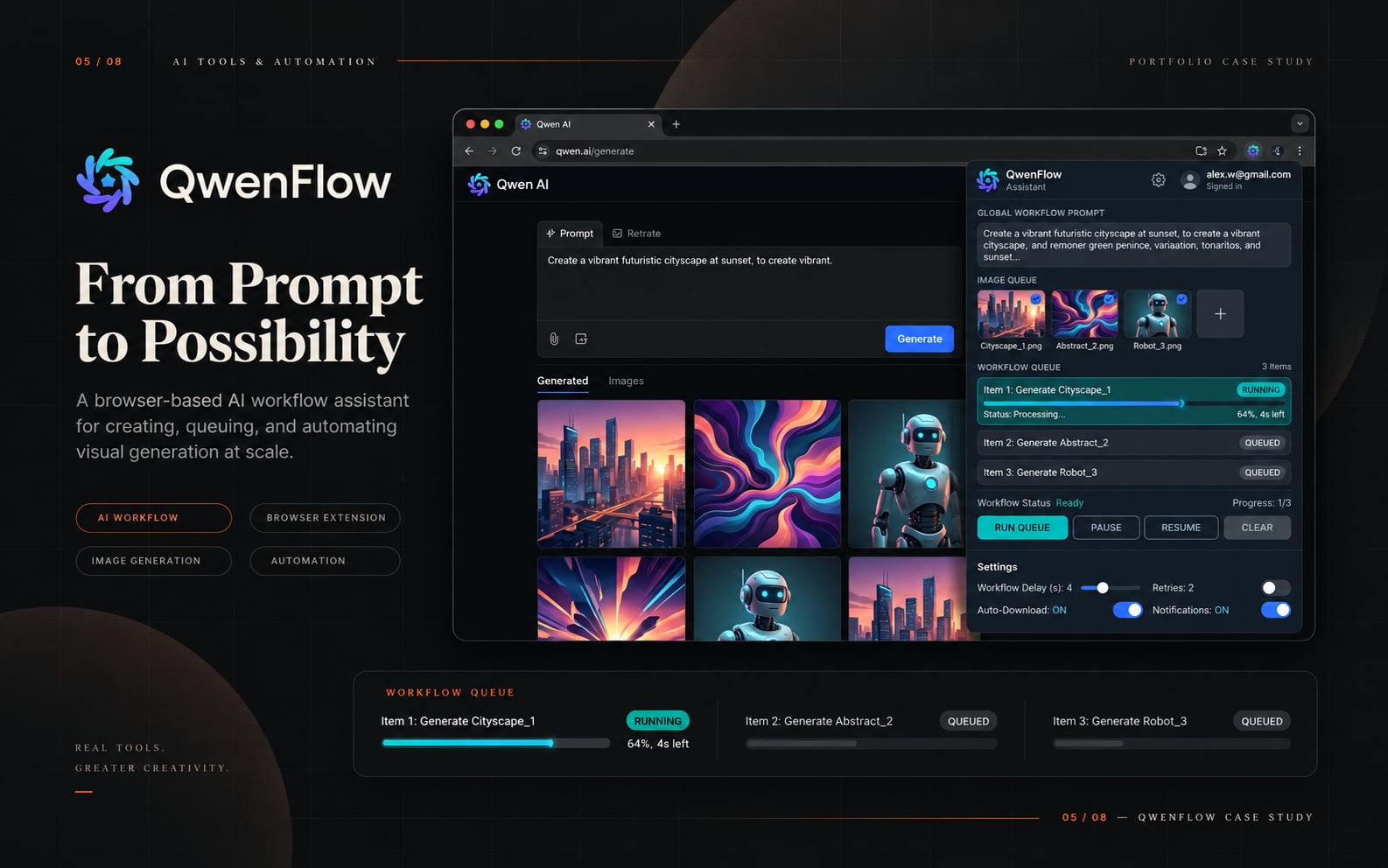
QwenFlow Assistant is a complete Chrome extension case study combining product strategy, popup UX, browser automation, state design, recovery behavior, and Chrome integration.
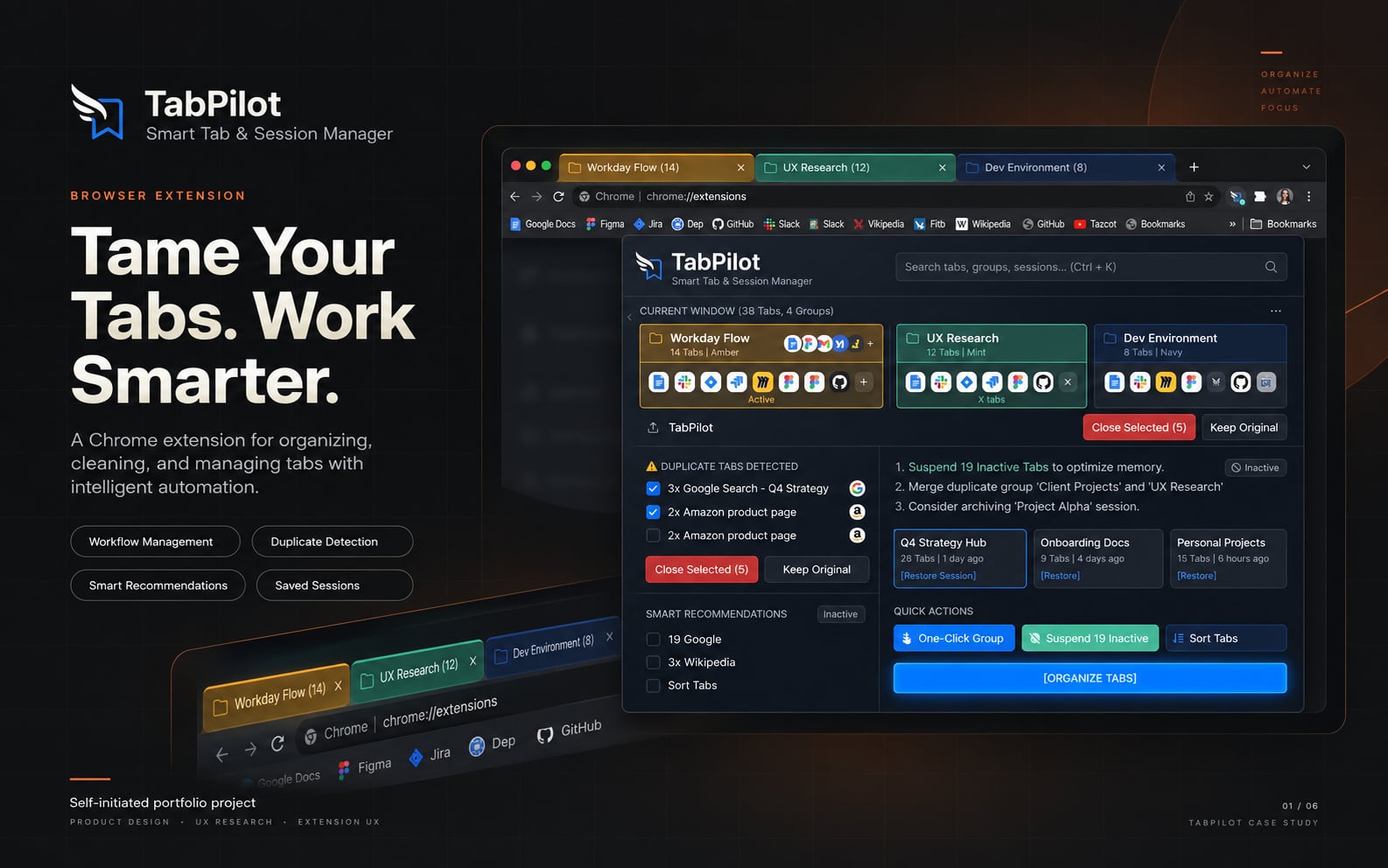
Chrome Extensions
TabPilot
TabPilot is a complete Chrome extension case study combining product strategy, popup UX, browser automation, state design, recovery behavior, and Chrome integration.