
MetaQueue AI
MetaQueue AI sends selected images one by one with a shared prompt through Meta AI while preserving queue state and adapting to interface changes. The extension must use the correct bottom input upload flow, detect UI changes, prevent duplicate submissions, and recover safely when the site reloads. The case study demonstrates how a browser extension can remain compact while making complex automation behavior understandable and recoverable.
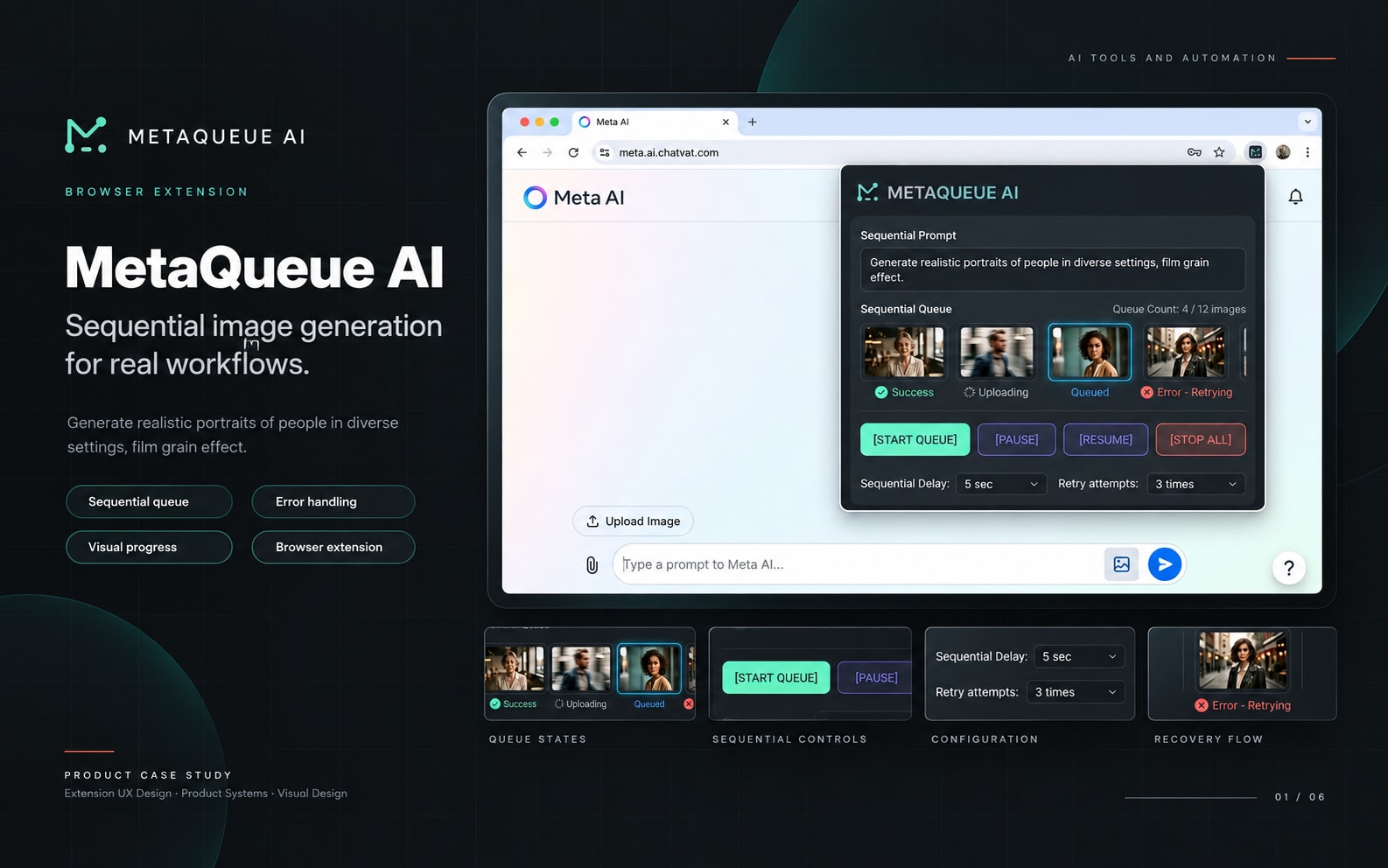
Self-initiated Meta AI automation extension
2026
Product Designer, Browser Automation Developer, UX Designer
6 weeks
Project Gallery
Images and videos
1 / 5
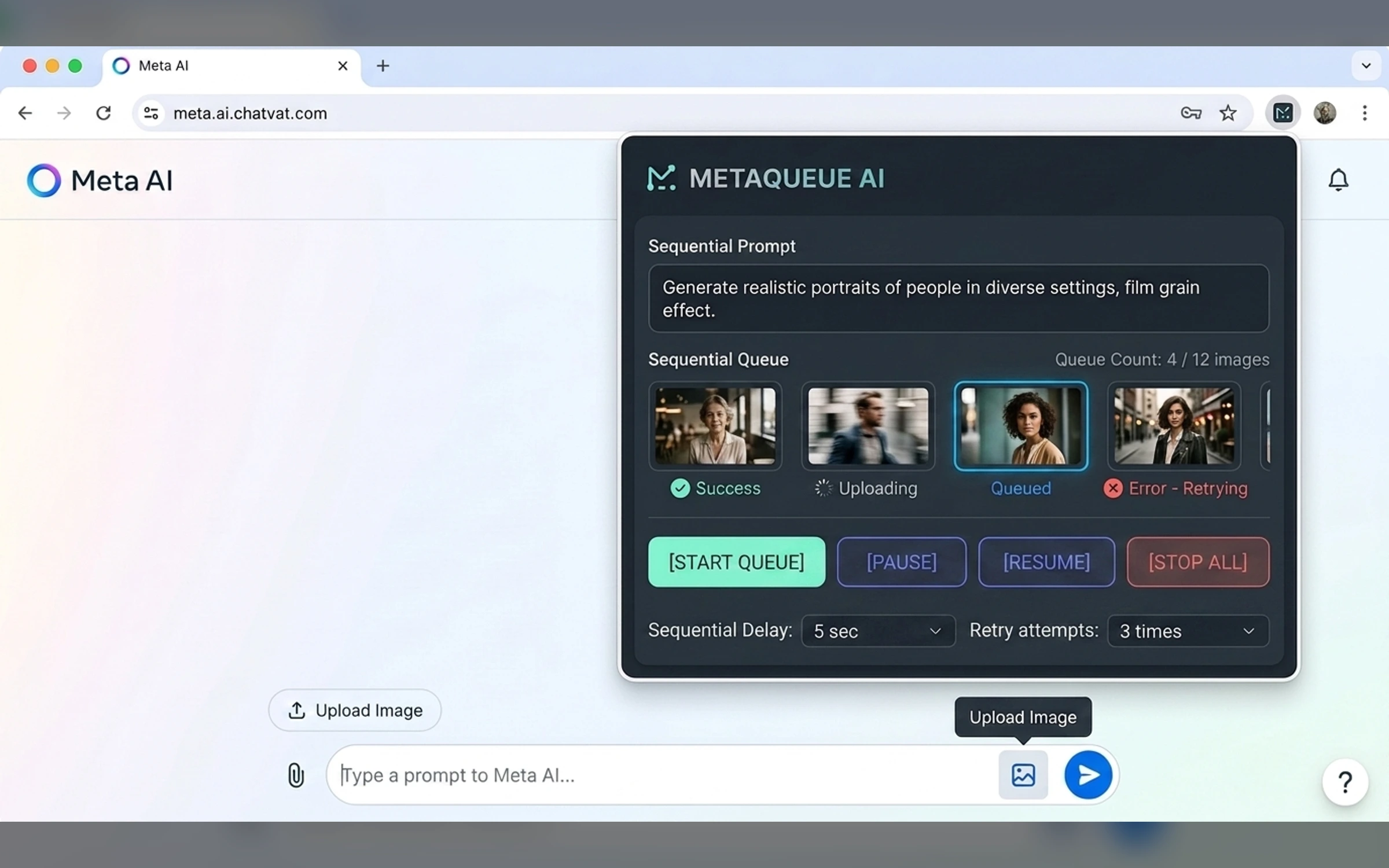
Product Context
MetaQueue AI sends selected images one by one with a shared prompt through Meta AI while preserving queue state and adapting to interface changes.
The User Problem
Objectives
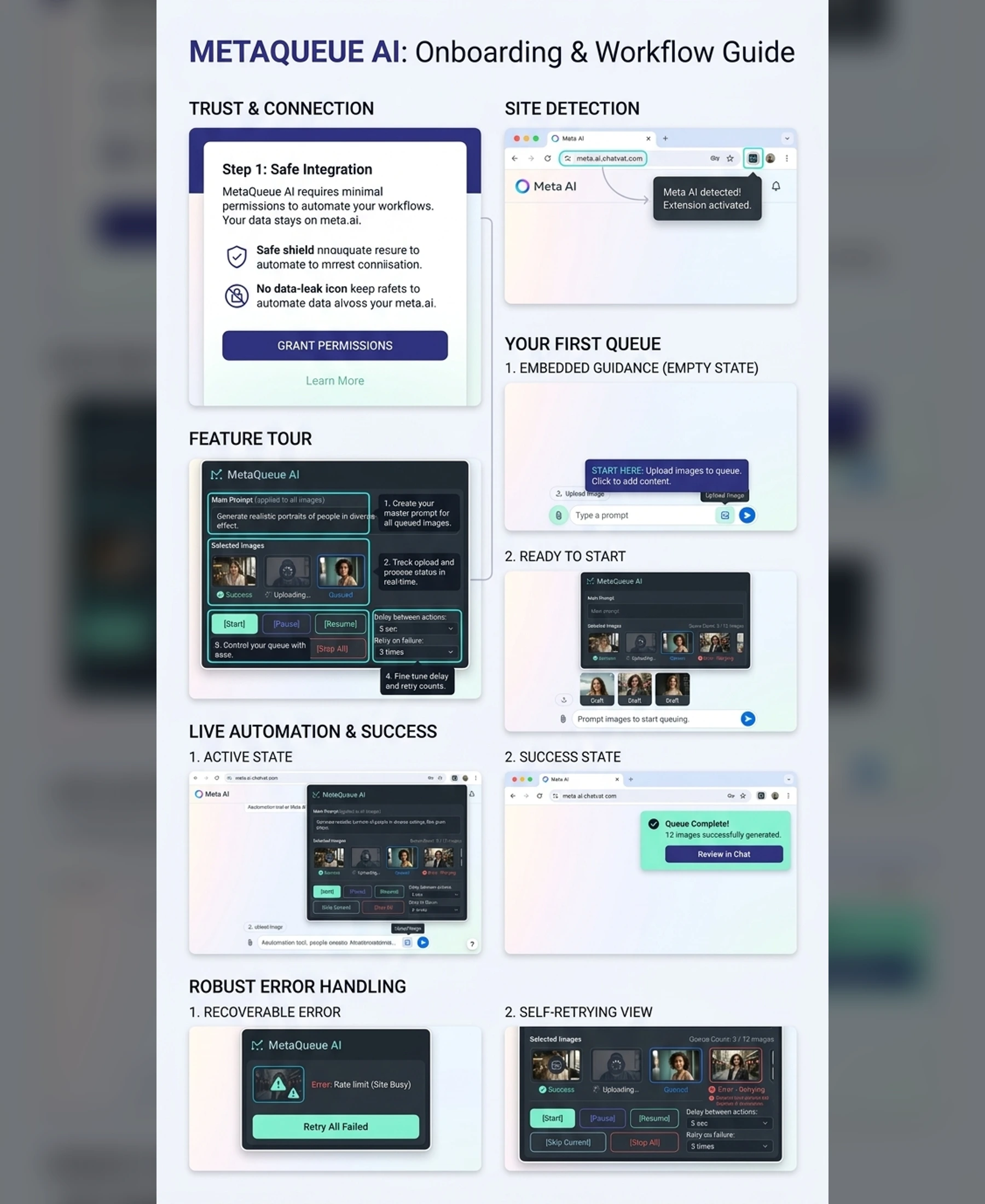
The extension experience was shaped around clear workflow control, browser permissions, and recoverable states.
- Create clear image selection and queue management
- Design reliable sequential automation states
- Handle interface changes and missing elements
- Support pause, resume, retry, and recovery
- Build an understandable onboarding flow
Core Workflow
One prompt. Every image. In order.
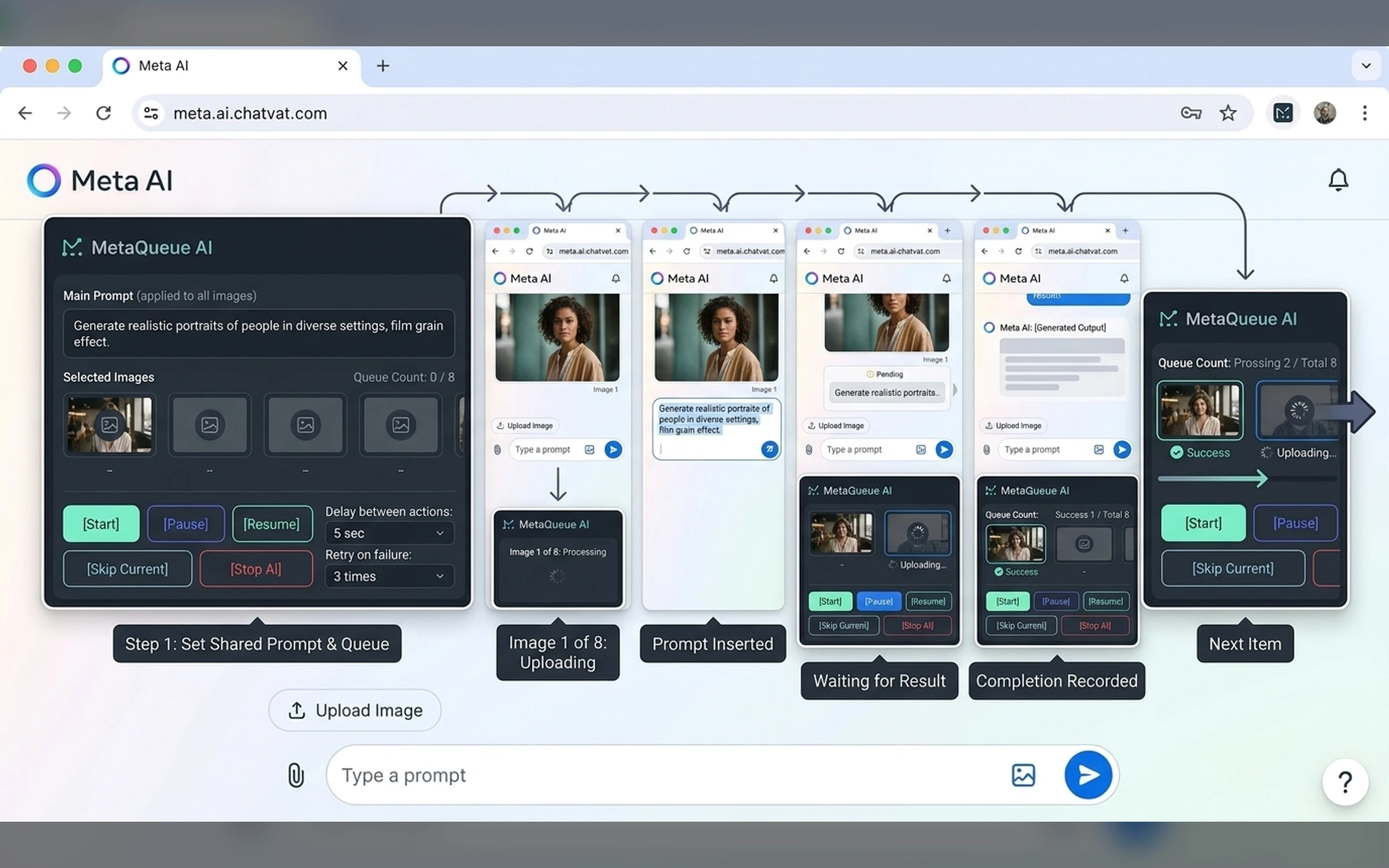
- Multi-image selection
- Shared prompt
- Sequential send
- Bottom-input upload detection
- Queue state
- Pause and resume
- Element recovery
- Error reporting
- Run history
Visual System
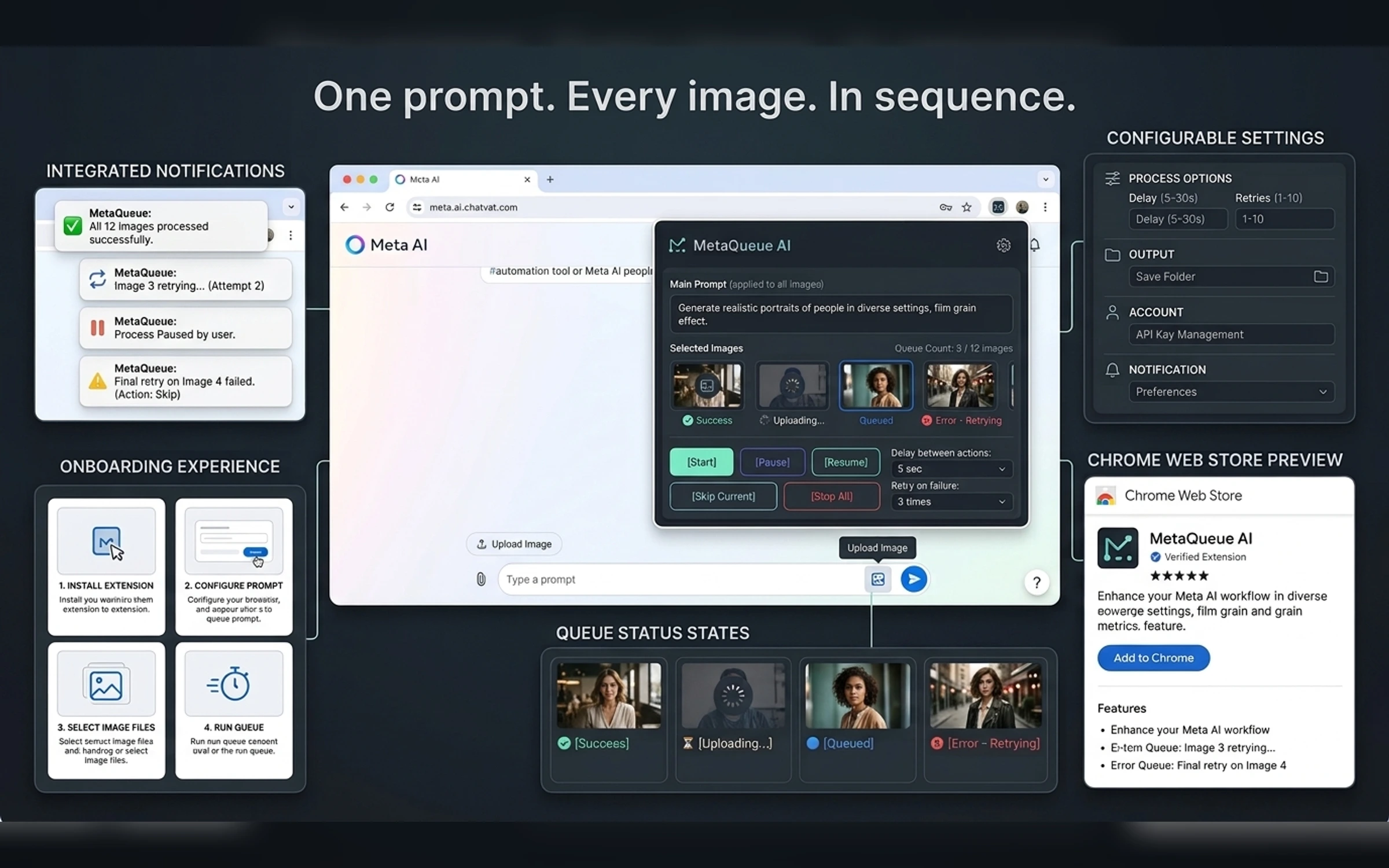
Modern dark browser utility UI with warm magenta and blue accents, clear thumbnails, task states, action hierarchy, and compact but friendly panels.
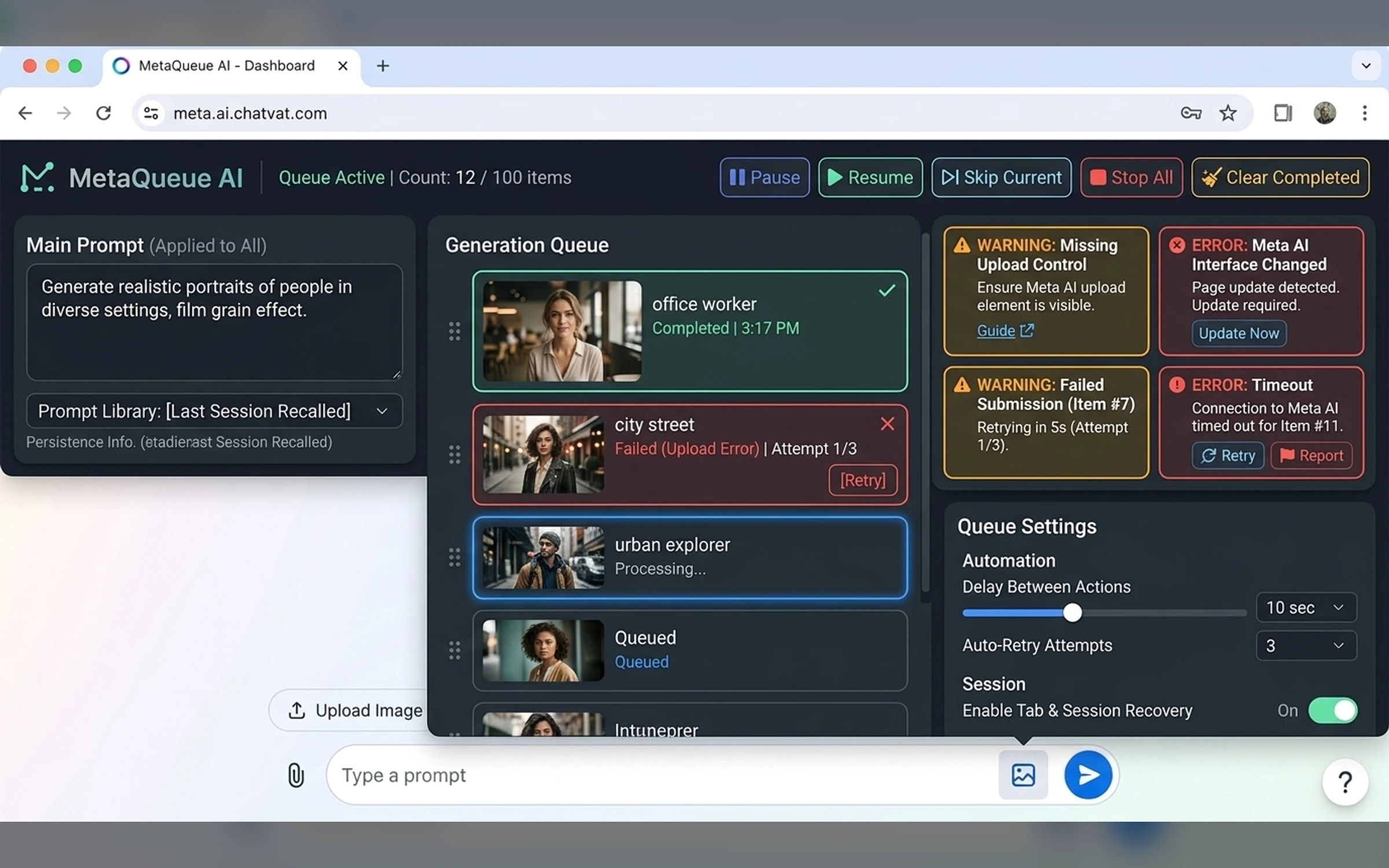
Browser Integration
The interface explains supported pages, permissions, active-tab status, automation progress, and recovery actions without blocking normal browsing.
- TypeScript
- Chrome Manifest V3
- React
- Chrome APIs
Final Extension Gallery
The gallery follows the supplied extension brief, UI hierarchy, and exact image manifest.
Portfolio Disclosure
More work from nearby categories.
Chrome Extensions
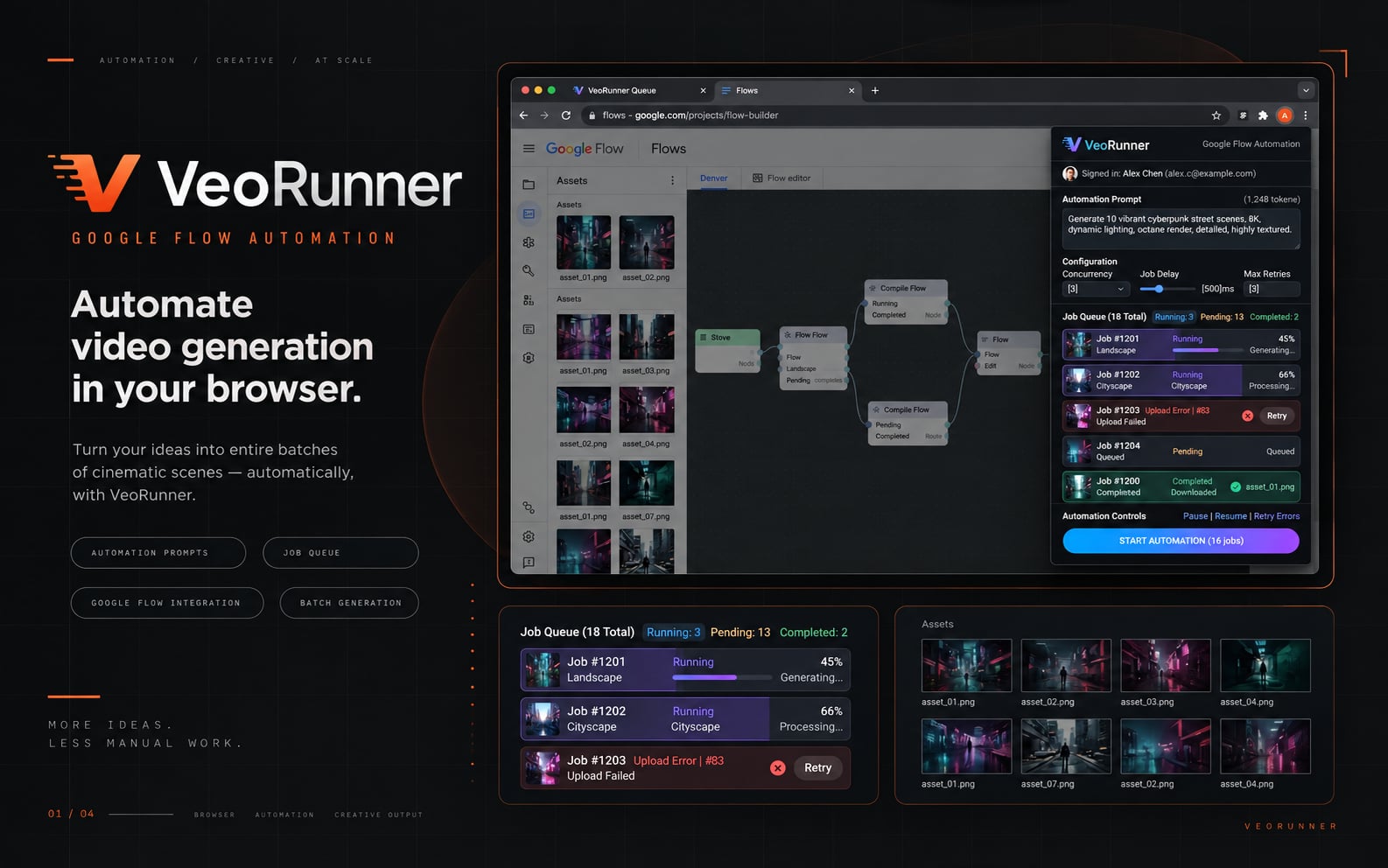
VeoRunner
VeoRunner is a complete Chrome extension case study combining product strategy, popup UX, browser automation, state design, recovery behavior, and Chrome integration.
Chrome Extensions
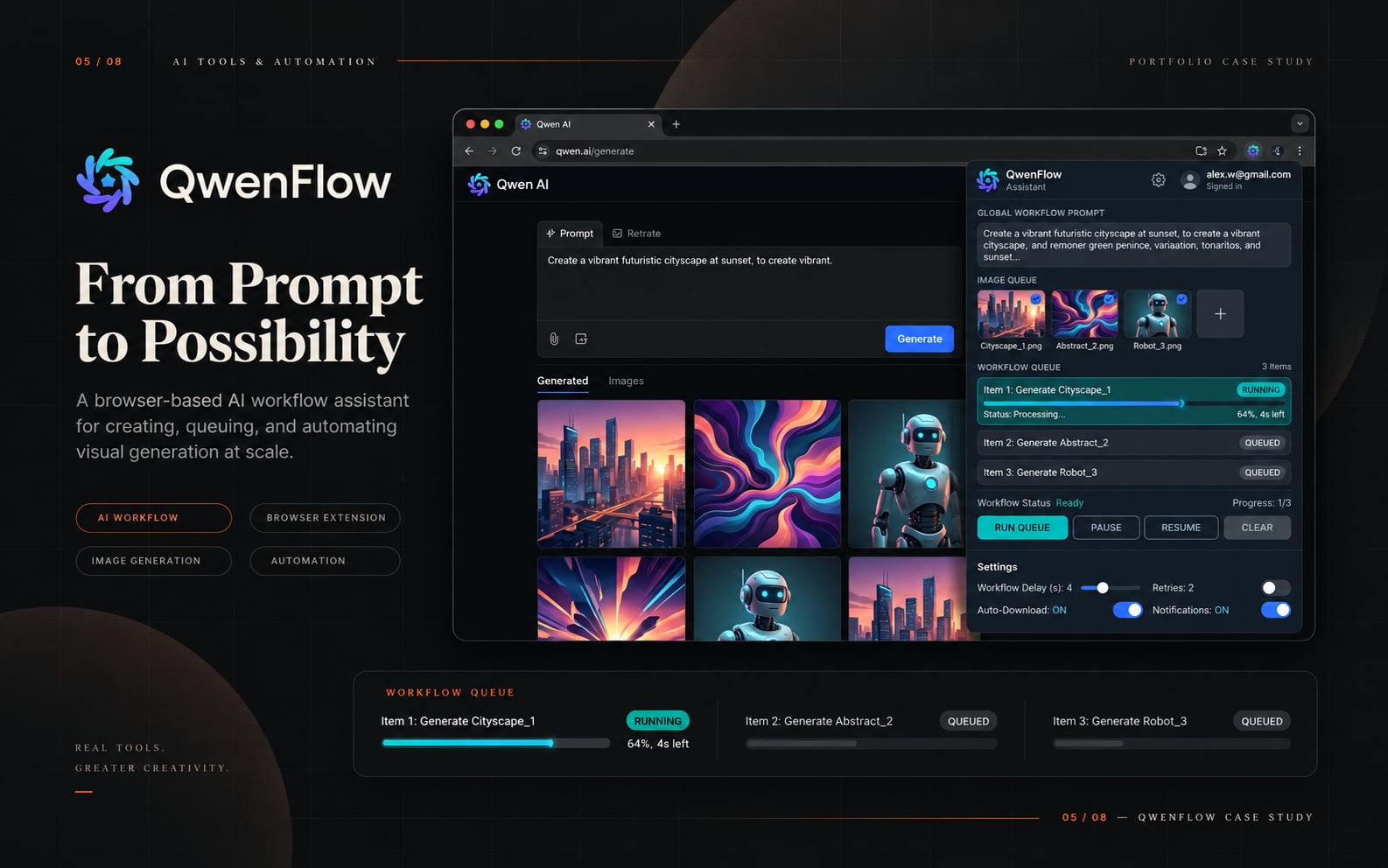
QwenFlow Assistant
QwenFlow Assistant is a complete Chrome extension case study combining product strategy, popup UX, browser automation, state design, recovery behavior, and Chrome integration.
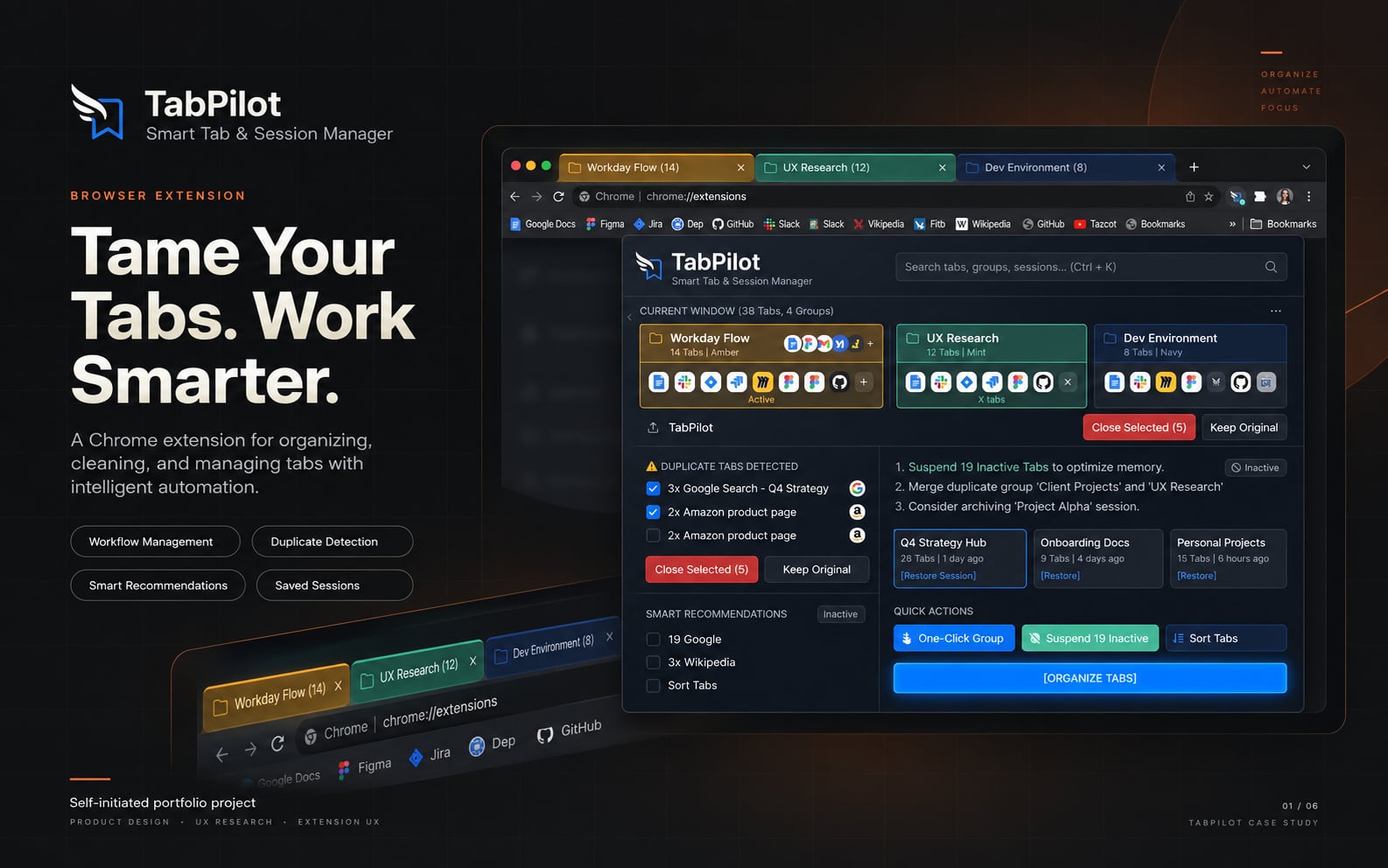
Chrome Extensions
TabPilot
TabPilot is a complete Chrome extension case study combining product strategy, popup UX, browser automation, state design, recovery behavior, and Chrome integration.