
Mavix Studio
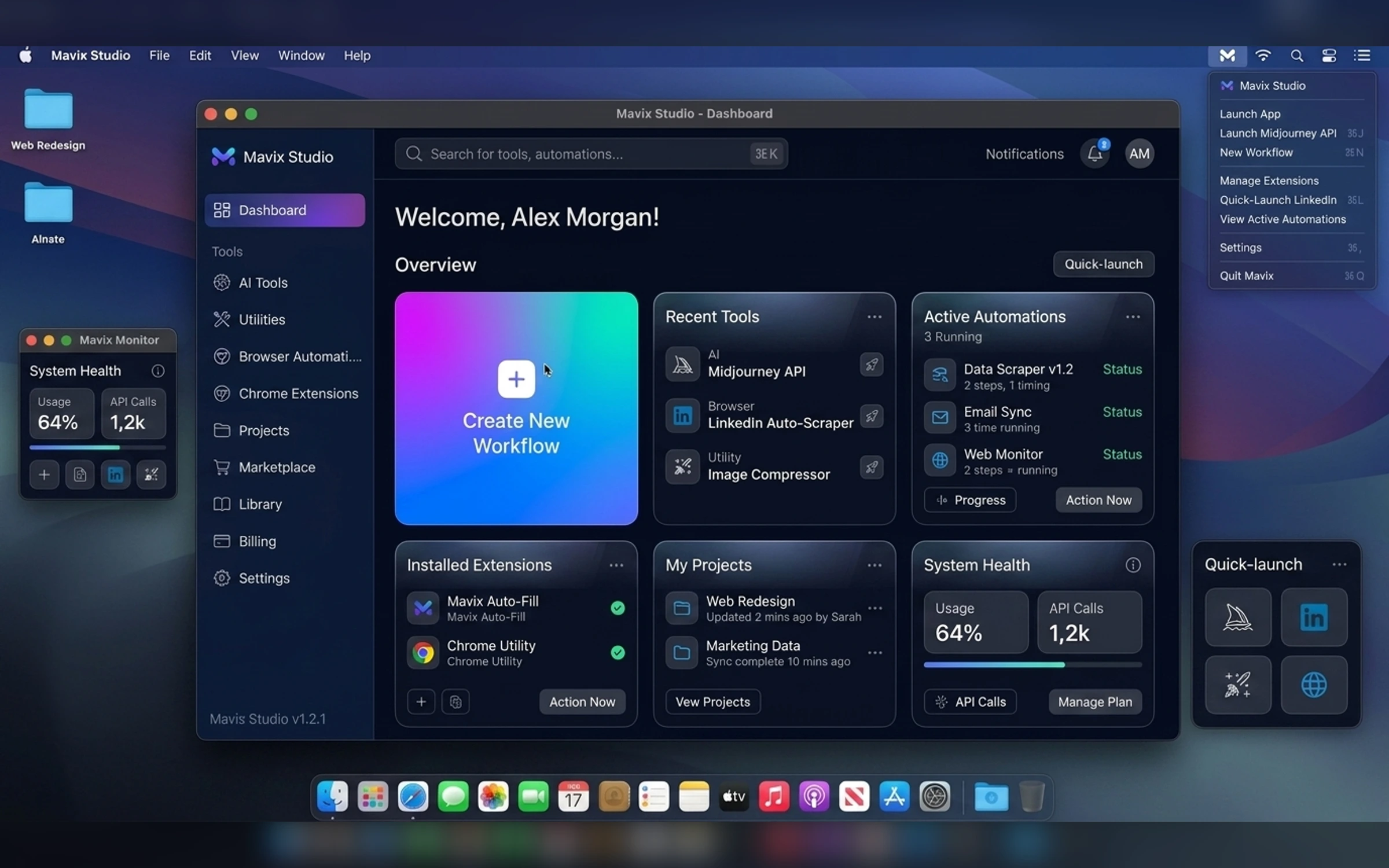
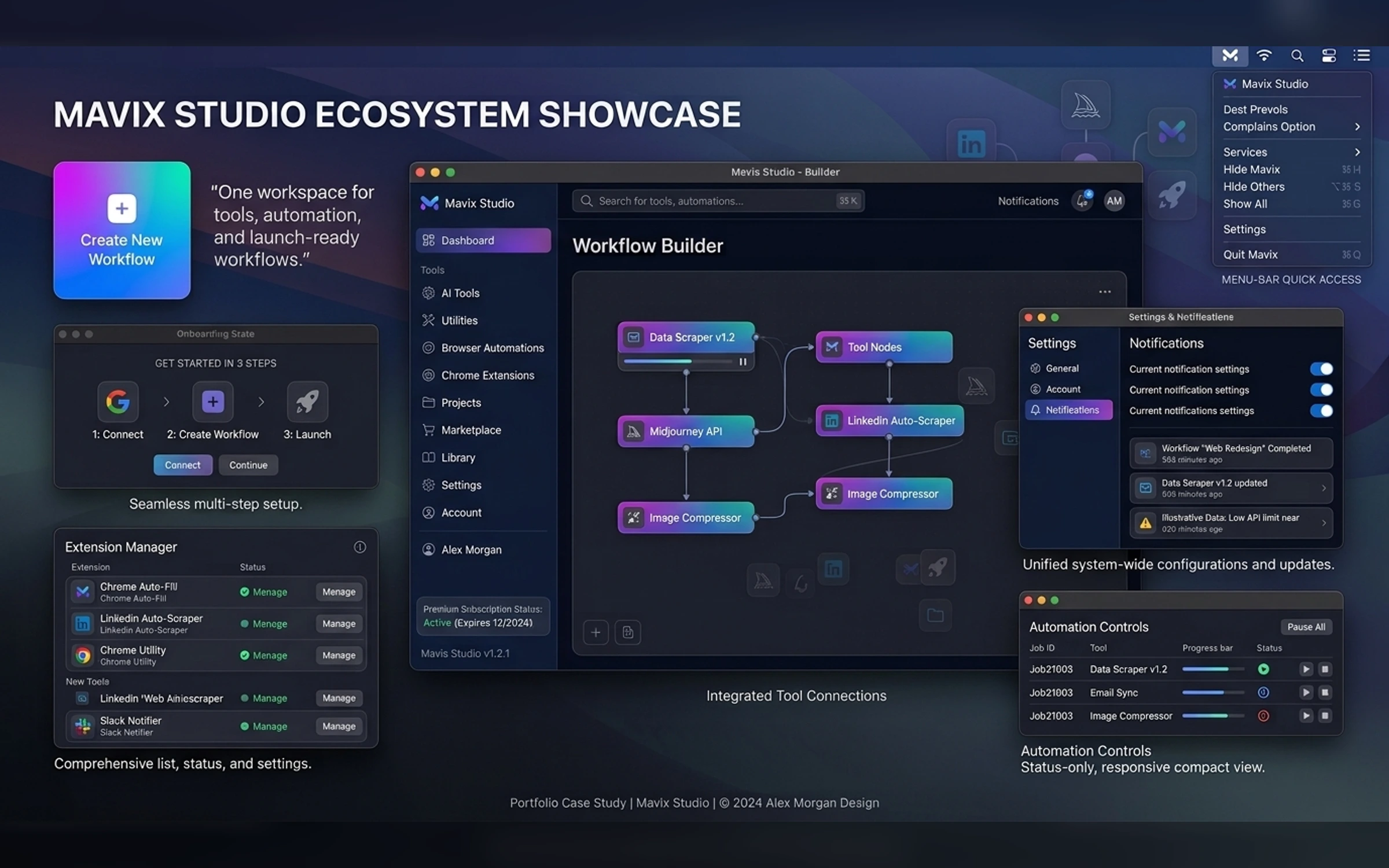
Mavix Studio is a native macOS workspace for launching and managing AI tools, browser extensions, automation products, subscriptions, and connected workflows. The case study demonstrates how native desktop structure, information hierarchy, keyboard-first interaction, notifications, and compact system integrations work together.

Self-initiated macOS productivity app concept
2026
macOS Product Designer, Desktop UX Designer, Native App Strategist
7 weeks
Project Gallery
Images and videos
1 / 5
Product Context
A native macOS workspace for launching and managing AI tools, browser extensions, automation products, subscriptions, and connected workflows.
The Challenge
Audience
The product is designed around a focused native desktop workflow.
- Freelancers
- Automation professionals
- Small teams
- AI tool users
Core Workflow
One workspace for every tool you use.
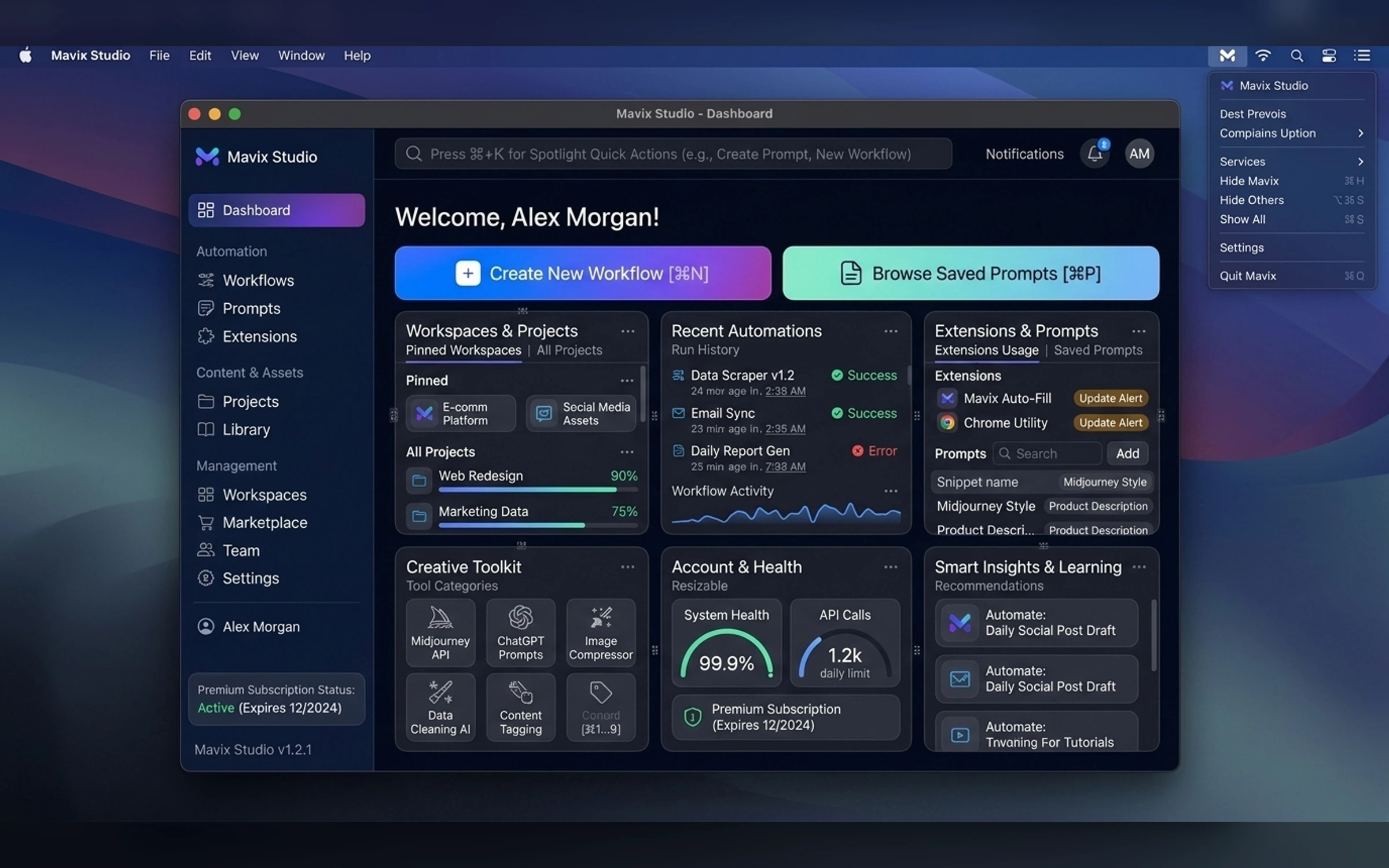
- Native sidebar and toolbar
- Product launcher
- Extension and tool library
- Subscription access
- Recent activity
- Quick actions
- Menu-bar companion
- Settings and shortcuts
Native Design Direction
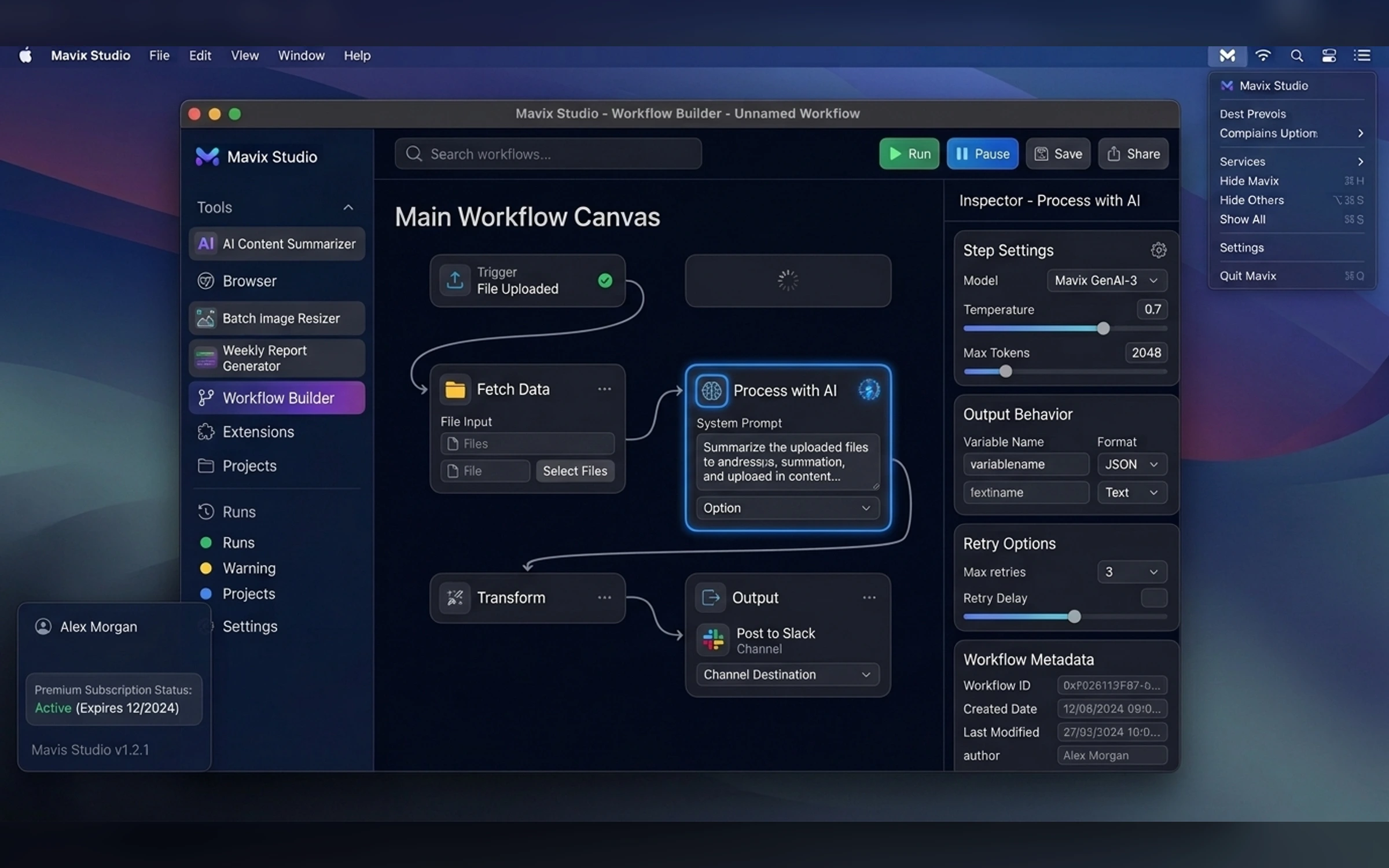
Premium macOS dark interface with translucent sidebars, restrained depth, cobalt and violet accents, system typography, native window controls, and keyboard-first workflows.
Interaction Strategy
The interface supports pointer, keyboard, toolbar, context menu, sheets, popovers, notifications, and menu-bar access.
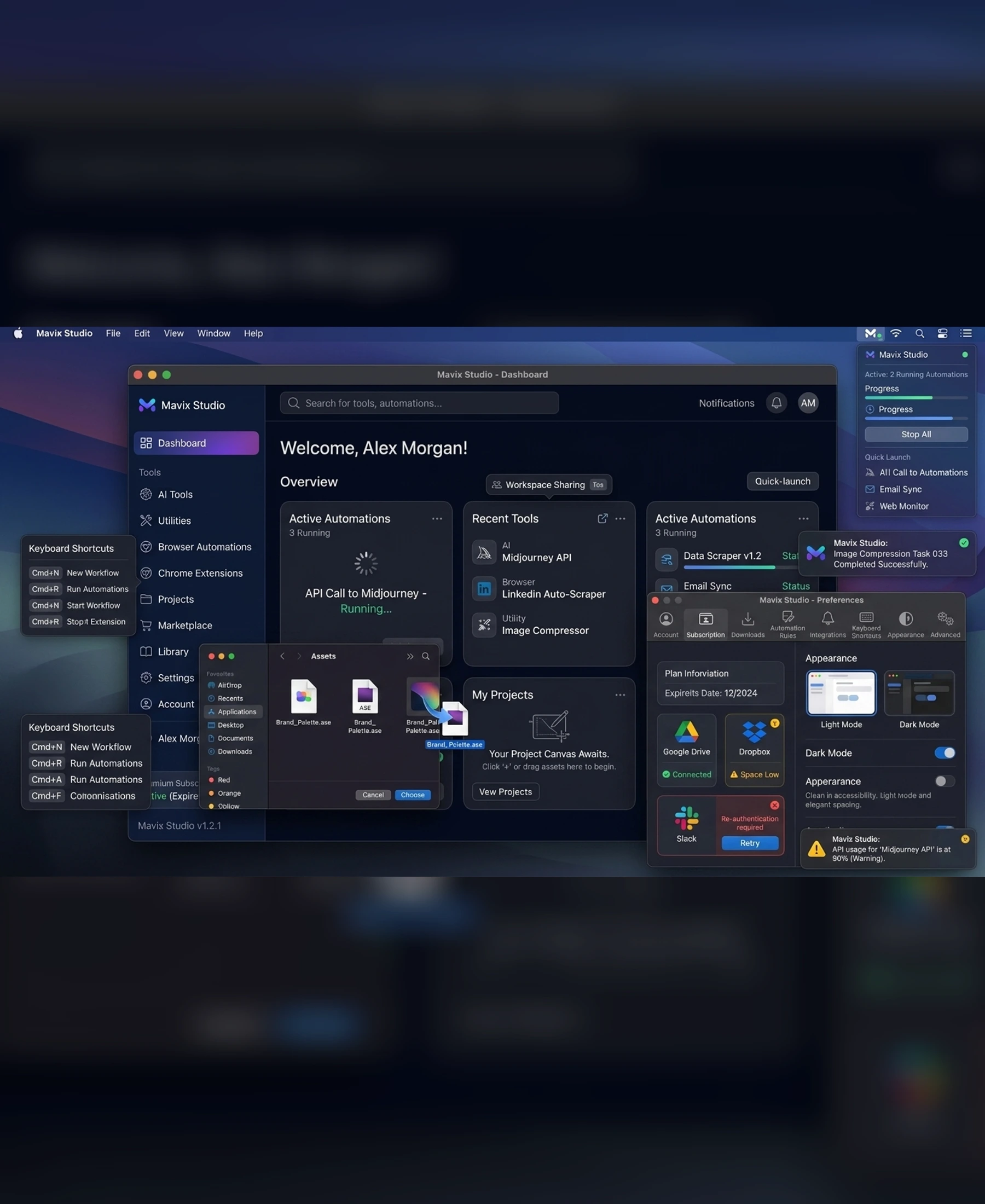
- SwiftUI concept
- macOS menu bar
- System notifications
- Keyboard shortcuts
- Native preferences
Final Mac App Gallery
The gallery follows the supplied Mac Apps brief, native UI hierarchy, and exact image manifest.
Portfolio Disclosure
More work from nearby categories.

Mac Apps
FlowDesk
FlowDesk is a native macOS product-design case study combining strategy, workflow design, desktop UI, menu-bar integration, keyboard interaction, preferences, and system states.

Mac Apps
PromptDock
PromptDock is a native macOS product-design case study combining strategy, workflow design, desktop UI, menu-bar integration, keyboard interaction, preferences, and system states.

Mac Apps
FocusGrid
FocusGrid is a native macOS product-design case study combining strategy, workflow design, desktop UI, menu-bar integration, keyboard interaction, preferences, and system states.