
FlowDesk
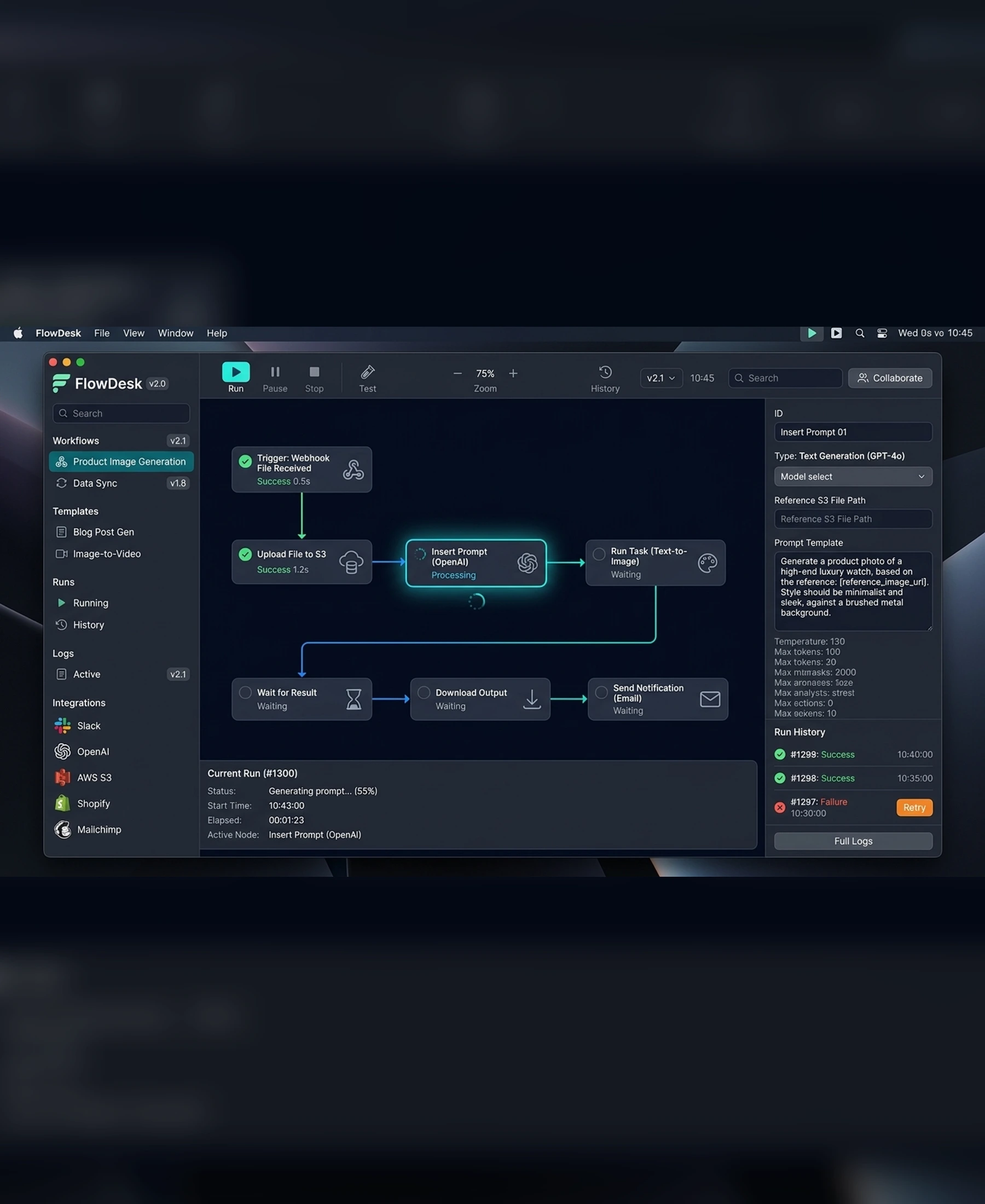
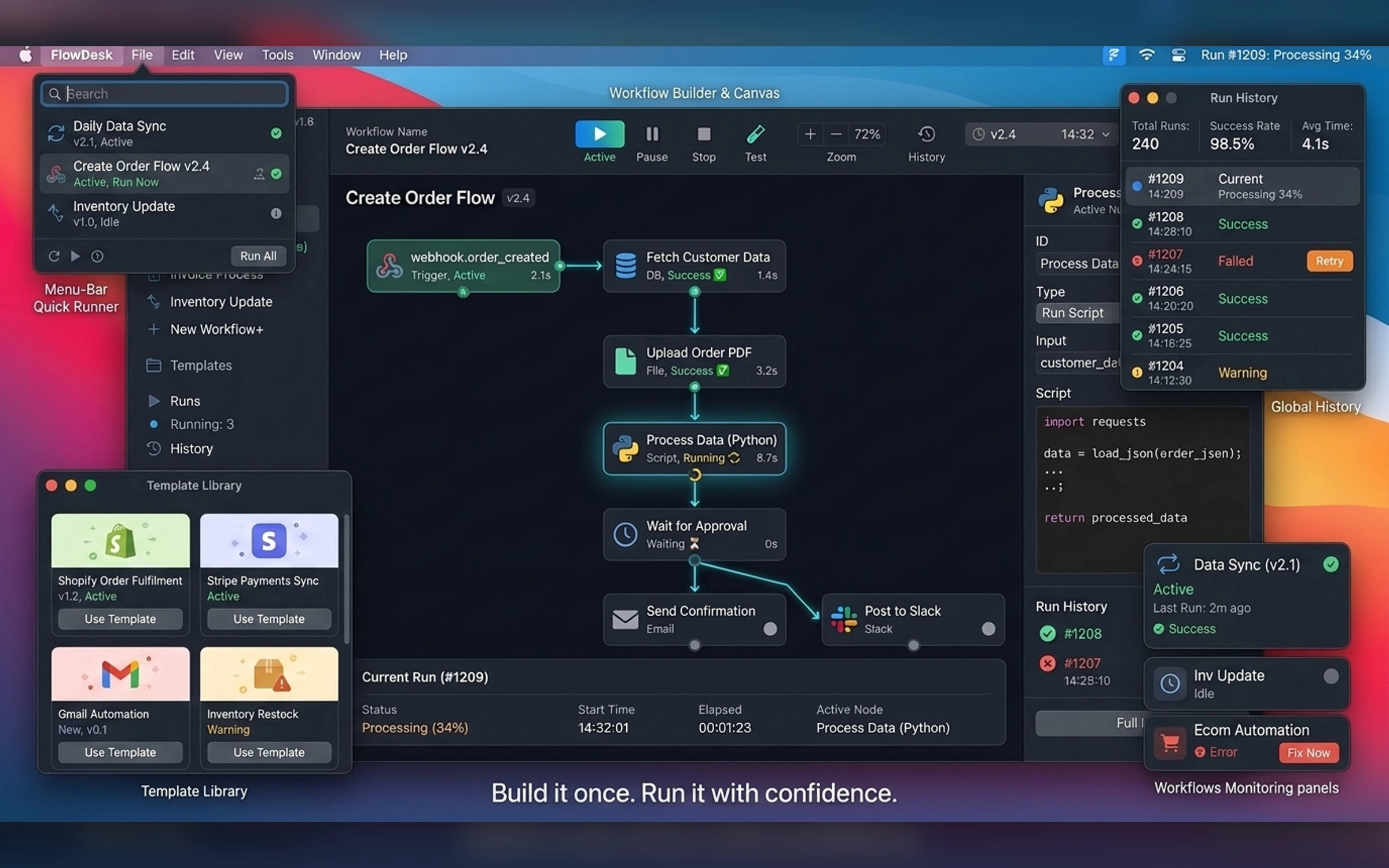
FlowDesk is a visual automation and task-runner app for building, launching, monitoring, and recovering repeatable desktop workflows. The case study demonstrates how native desktop structure, node-based hierarchy, execution states, logs, schedules, and system integrations work together.
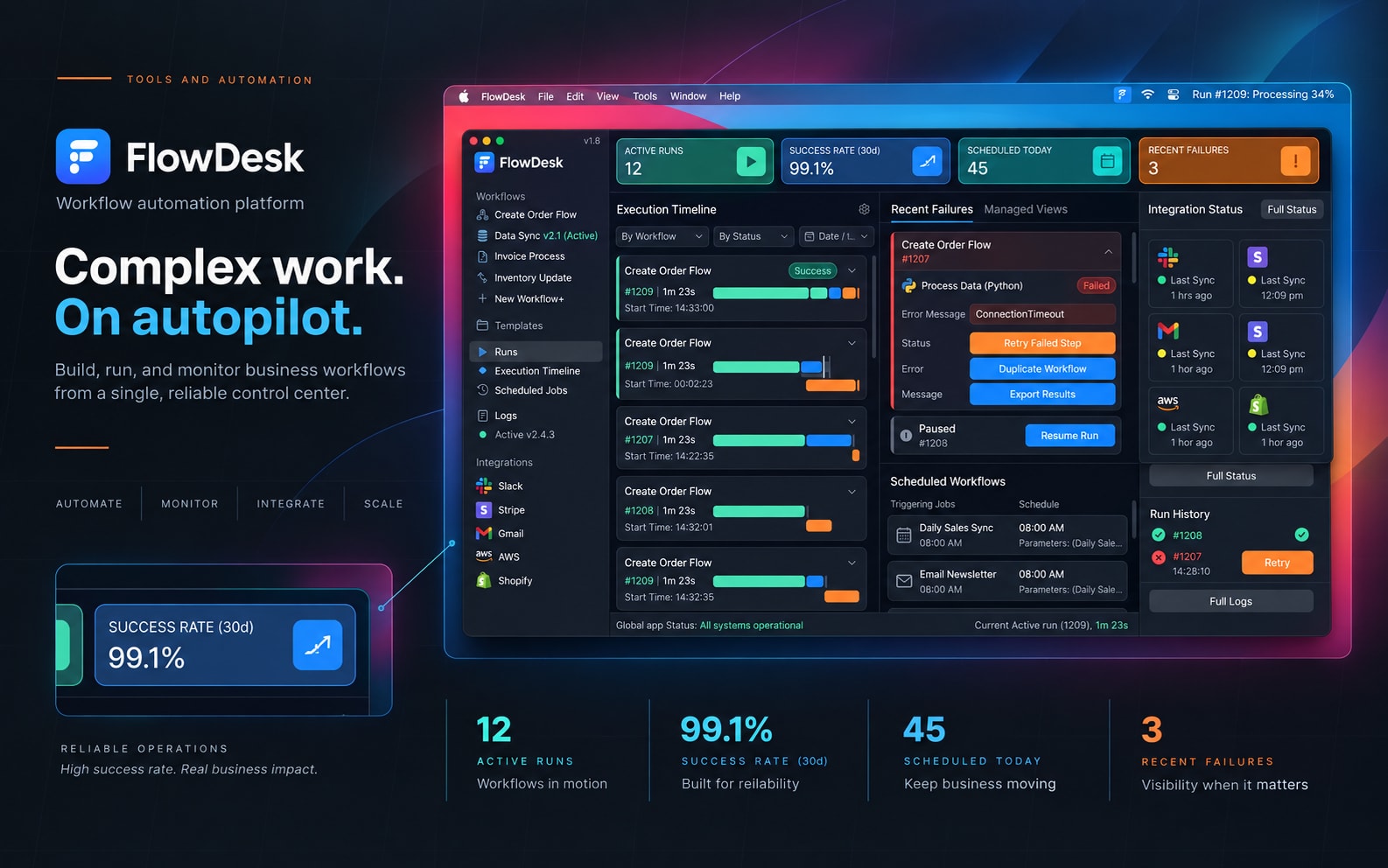
Self-initiated visual automation app concept
2026
macOS Product Designer, Automation UX Designer, Desktop Interaction Designer
7 weeks
Project Gallery
Images and videos
1 / 5
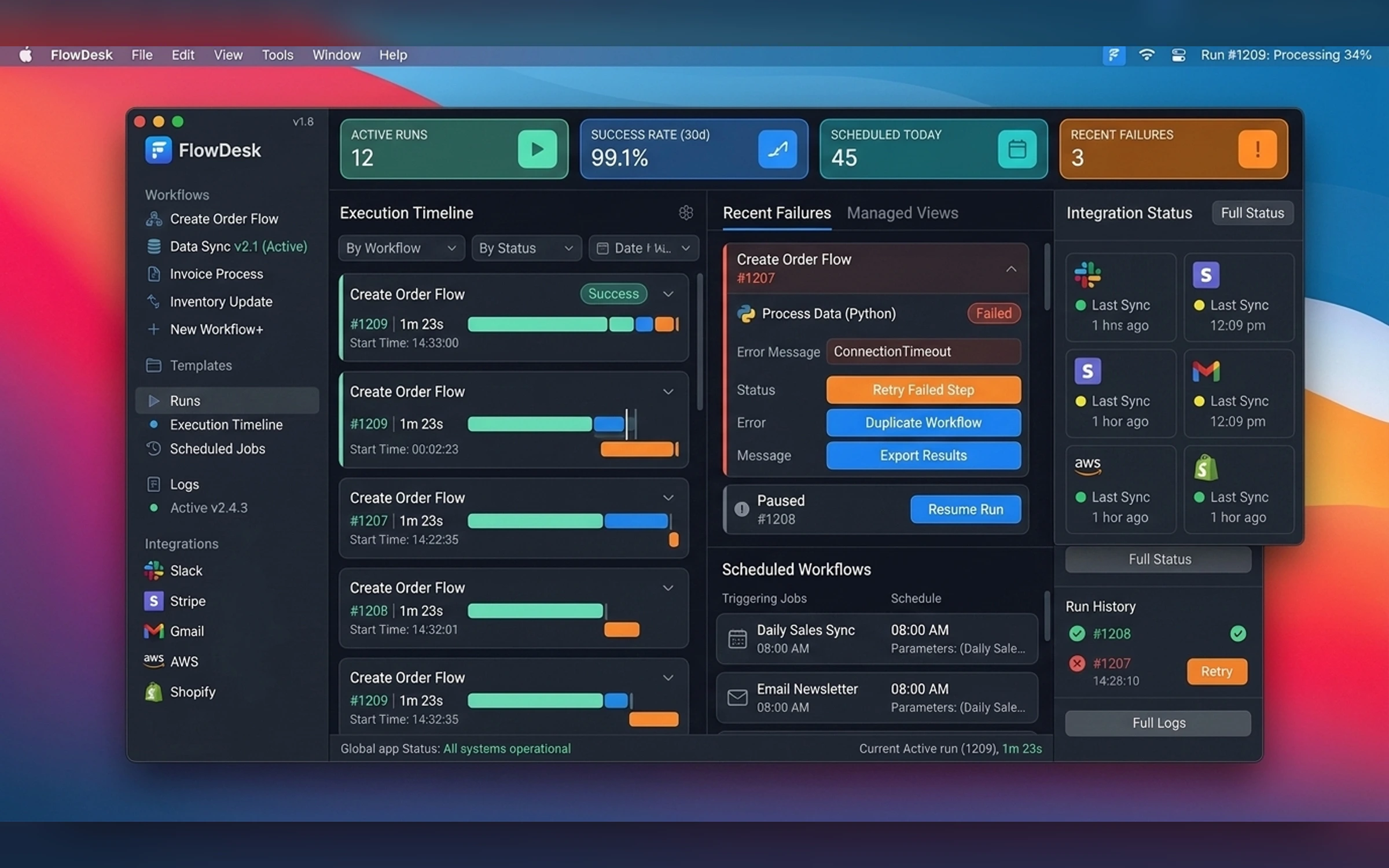
Product Context
A visual automation and task-runner app for building, launching, monitoring, and recovering repeatable desktop workflows.
The Challenge
Audience
The product is designed around a focused native desktop workflow.
- Automation builders
- Operations teams
- Creators
- Technical freelancers
Core Workflow
Build the flow. Run the work.
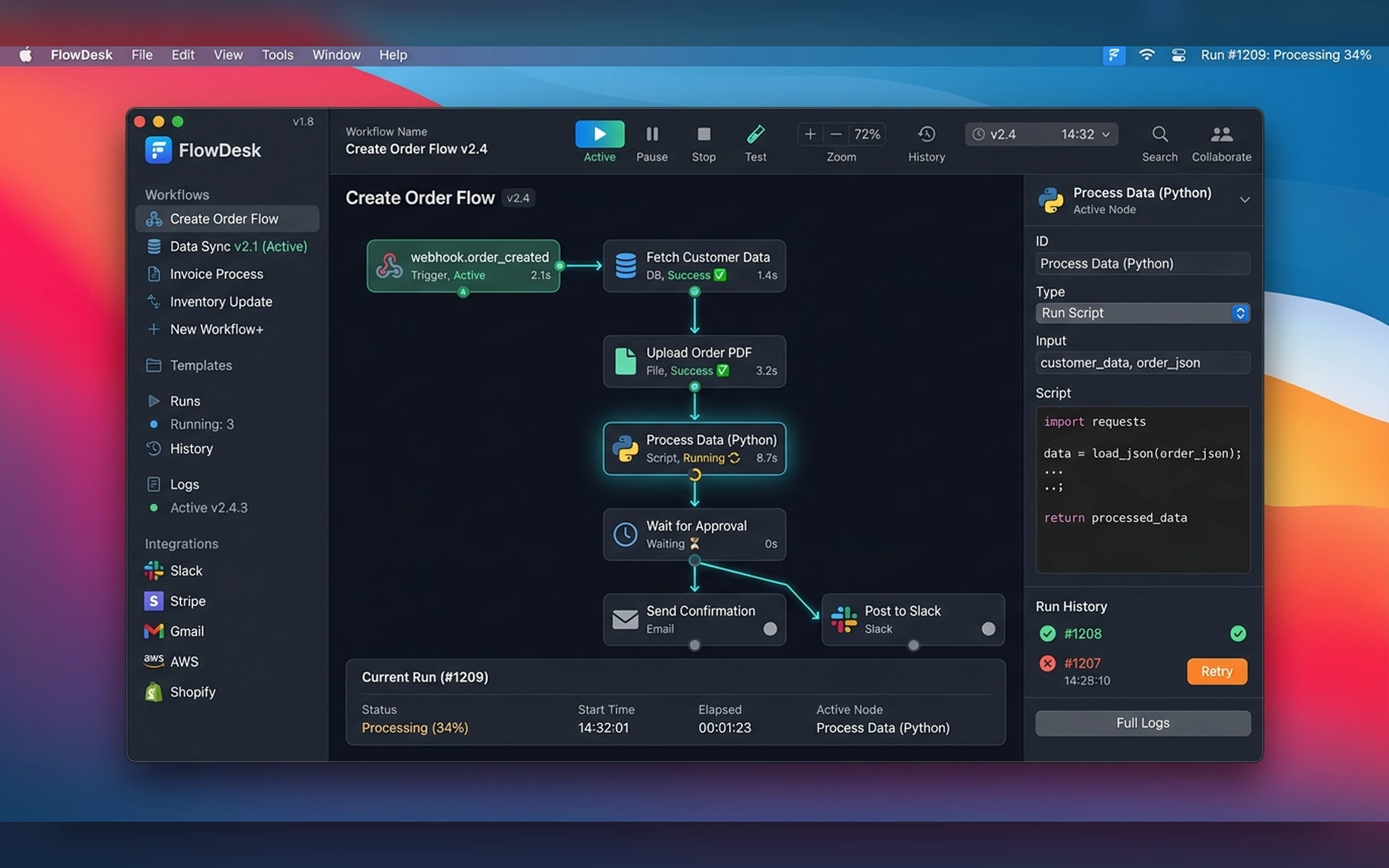
- Visual workflow canvas
- Trigger and action library
- Run history
- Live execution
- Recovery controls
- Schedules
- Variables
- Templates
- Menu-bar runner
Native Design Direction
Native macOS productivity design with a dark canvas, soft translucent panels, modular nodes, clear state colors, and restrained motion.
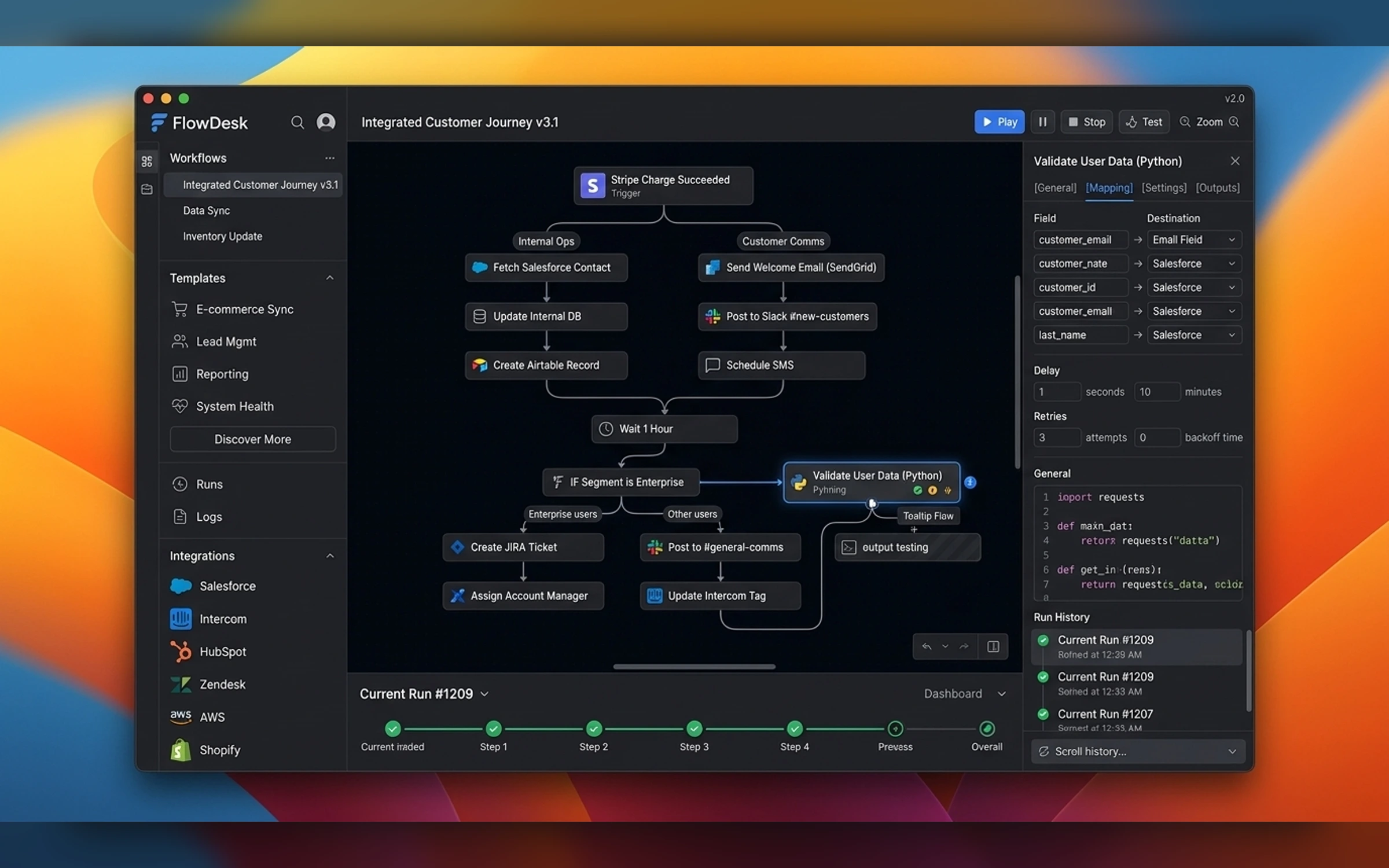
Interaction Strategy
The interface supports pointer, keyboard, toolbar, context menu, sheets, popovers, notifications, and menu-bar access.
- SwiftUI concept
- Node canvas
- Menu-bar runner
- System notifications
- Native preferences
Final Mac App Gallery
The gallery follows the supplied Mac Apps brief, native UI hierarchy, and exact image manifest.
Portfolio Disclosure
More work from nearby categories.
Mac Apps
Mavix Studio
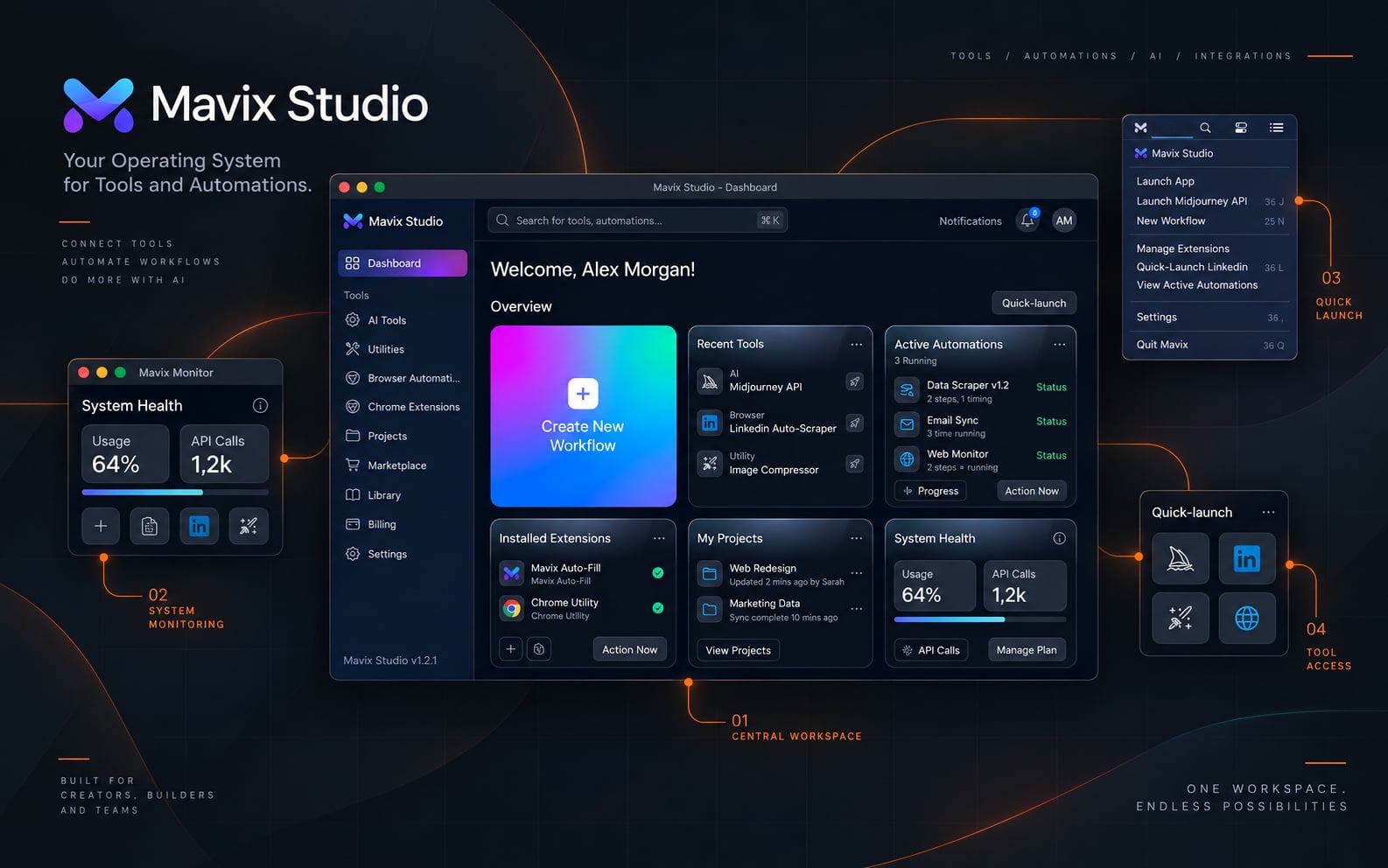
Mavix Studio is a native macOS product-design case study combining strategy, workflow design, desktop UI, menu-bar integration, keyboard interaction, preferences, and system states.
Mac Apps
PromptDock
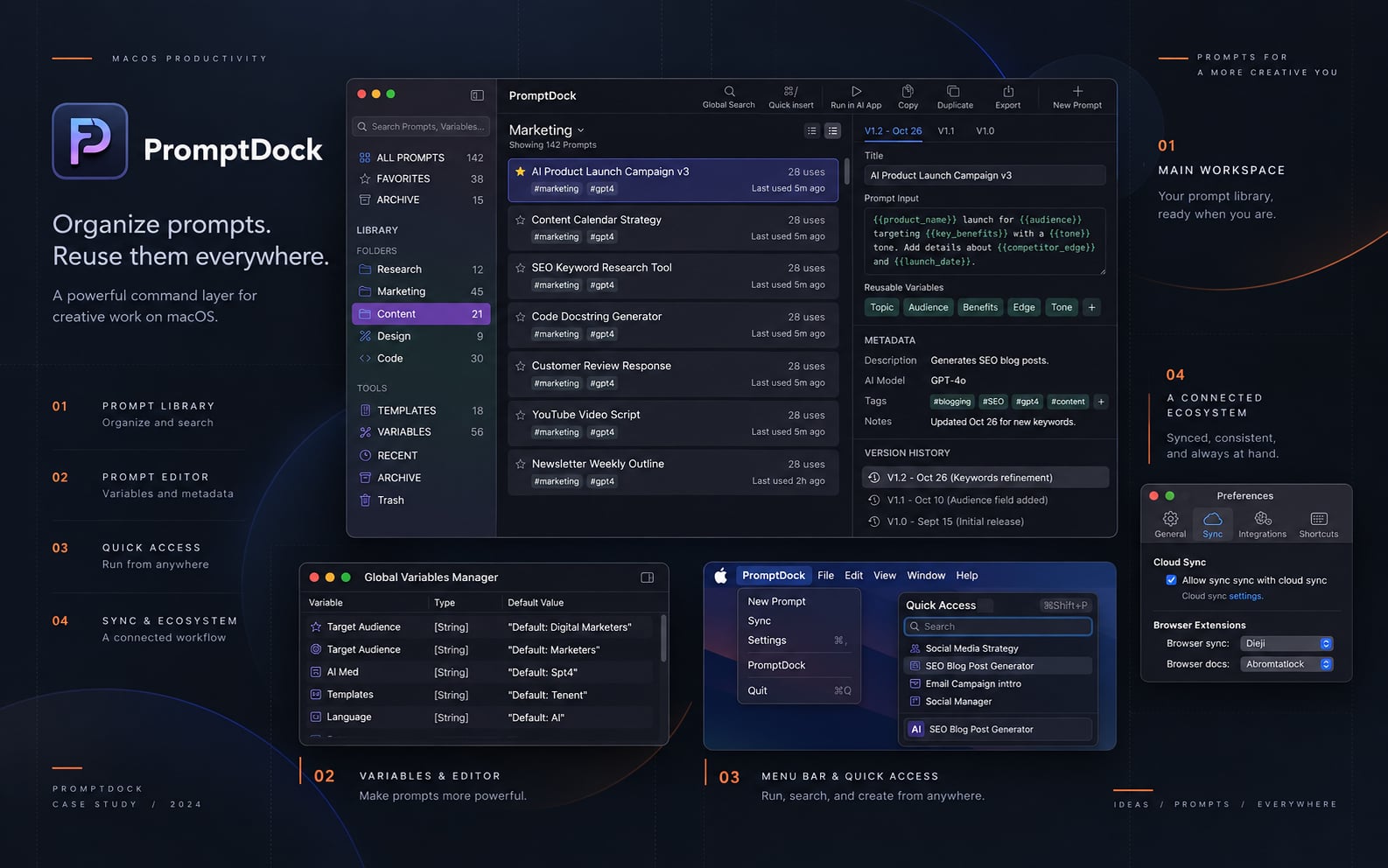
PromptDock is a native macOS product-design case study combining strategy, workflow design, desktop UI, menu-bar integration, keyboard interaction, preferences, and system states.
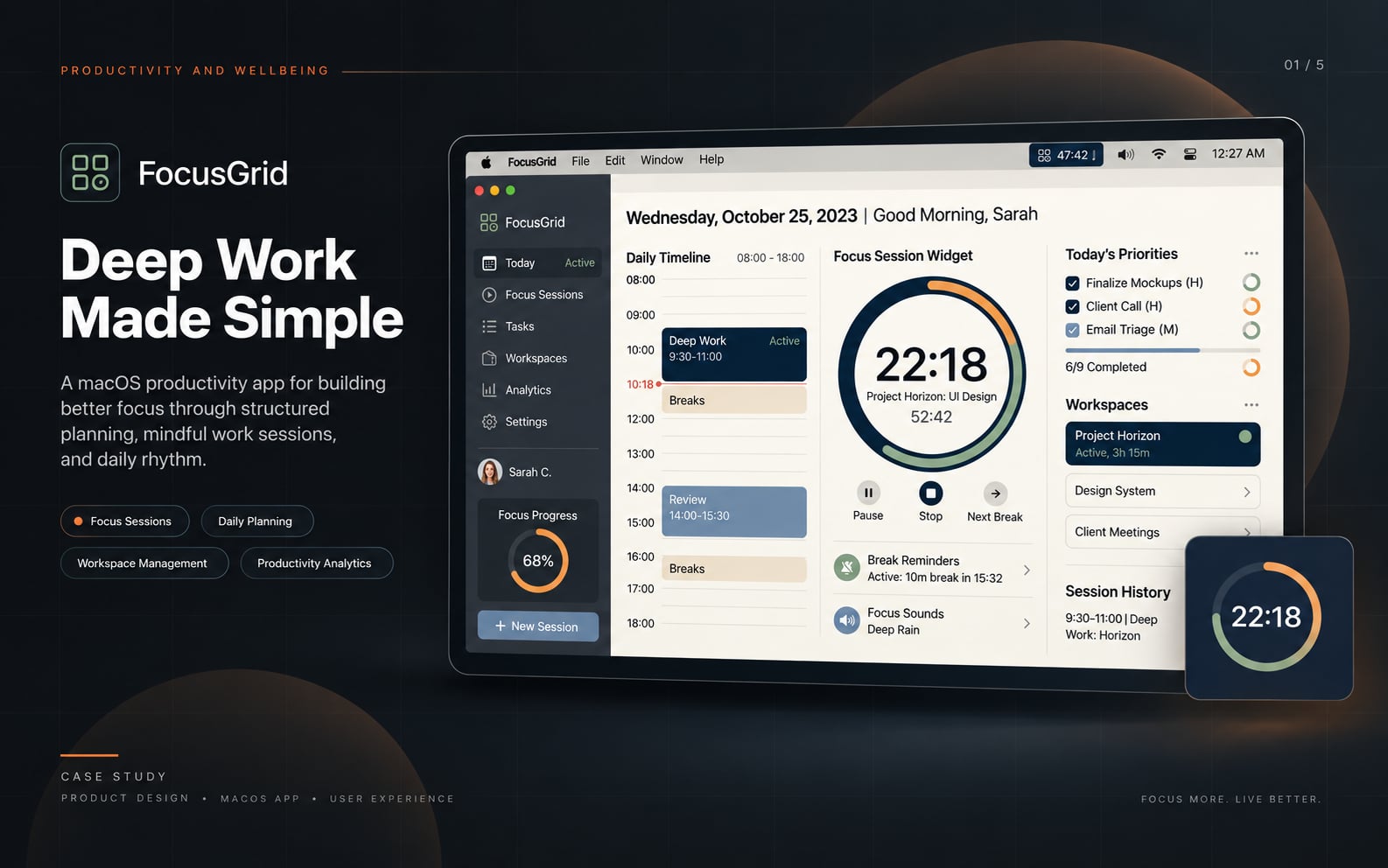
Mac Apps
FocusGrid
FocusGrid is a native macOS product-design case study combining strategy, workflow design, desktop UI, menu-bar integration, keyboard interaction, preferences, and system states.