
FilePilot
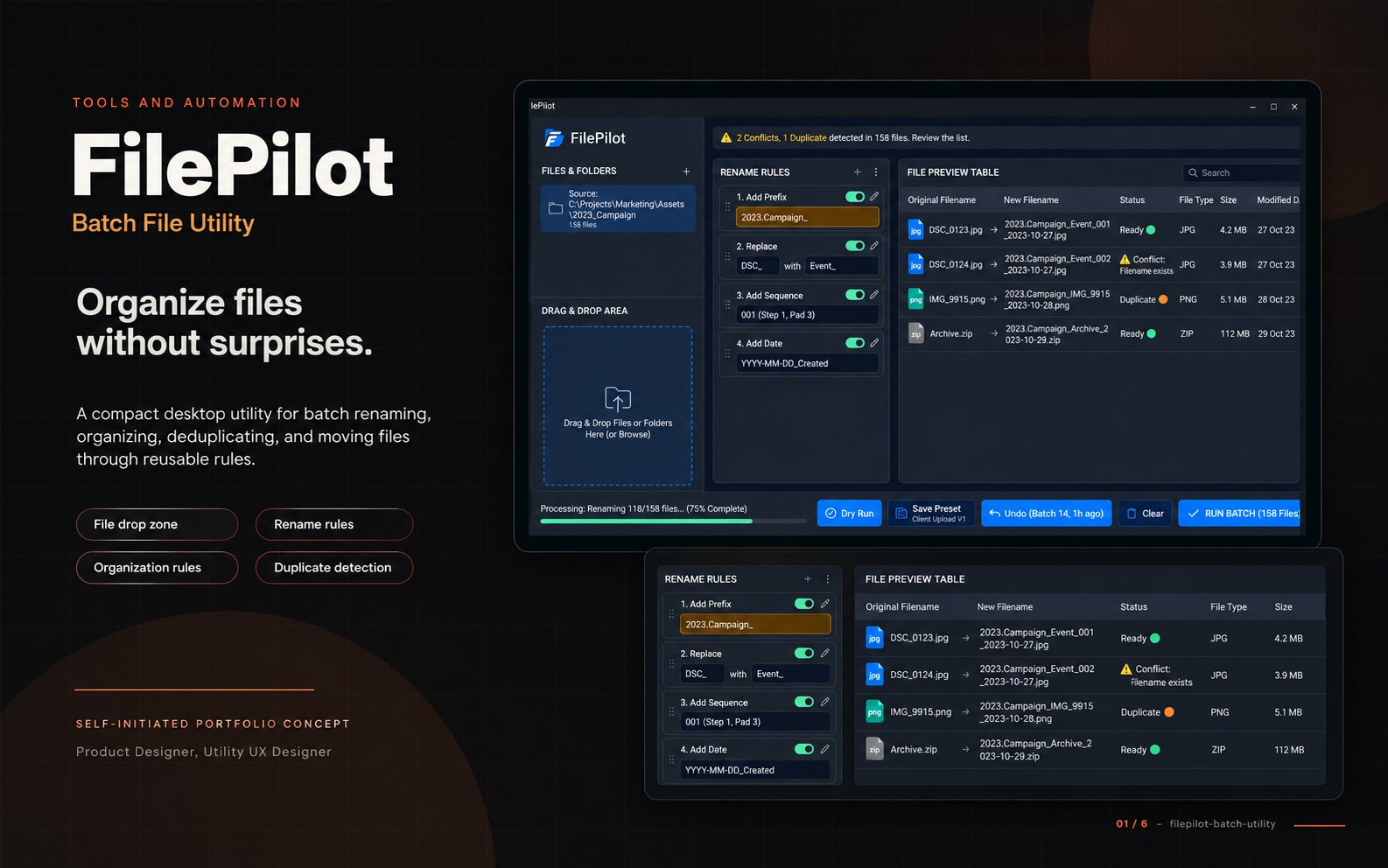
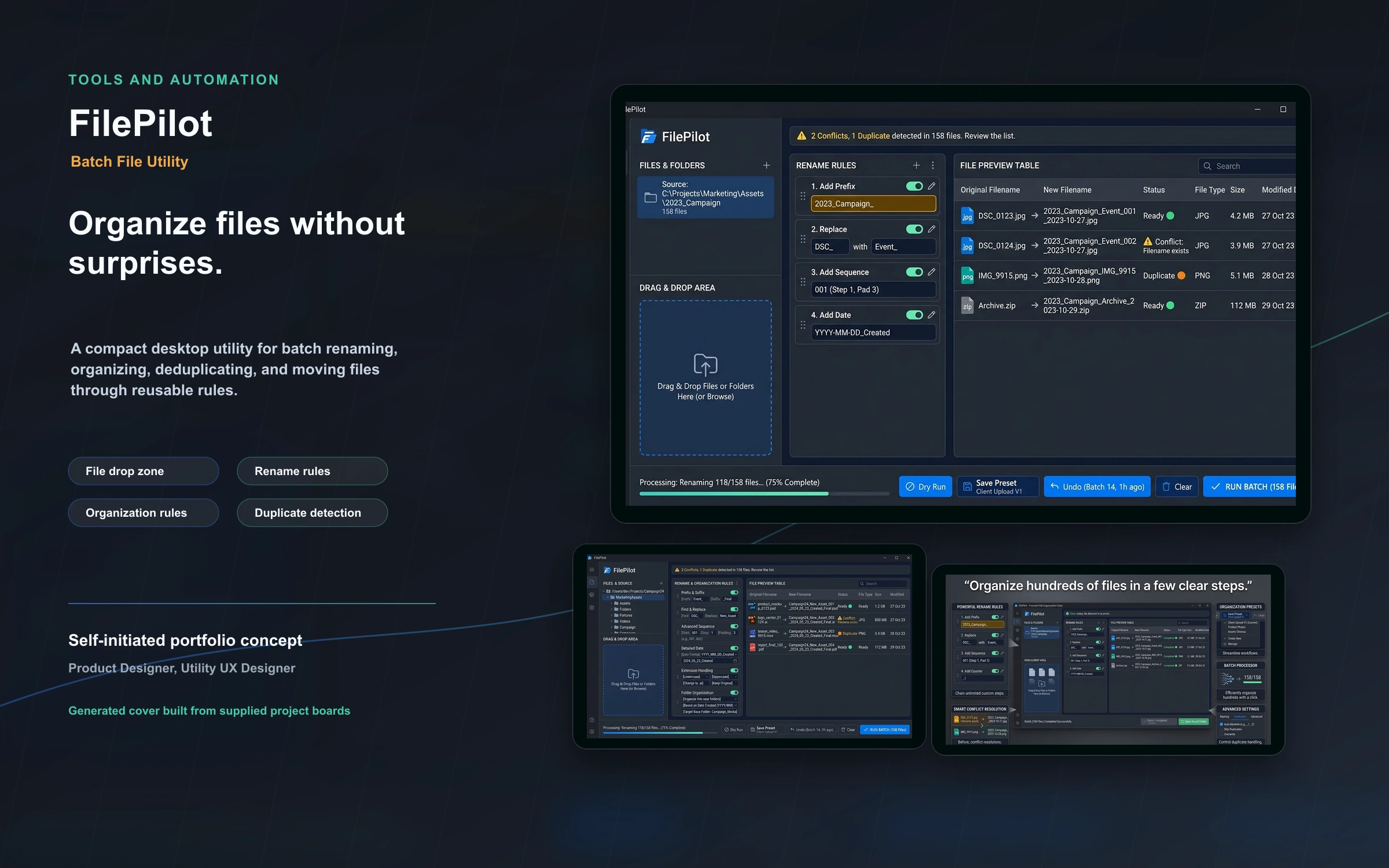
FilePilot is a compact desktop utility for batch renaming, organizing, deduplicating, and moving files through reusable rules. The project focuses on preview, rollback, duplicate detection, and compact utility behavior.
Personal utility-tool concept
2026
Product Designer, Utility UX Designer
3 weeks
Project Gallery
Images and videos
1 / 3
Product Context
A compact desktop utility for batch renaming, organizing, deduplicating, and moving files through reusable rules.
The Challenge
Objectives
The product experience was shaped around safe automation, readable workflows, and recoverable states.
- Create safe rule-based renaming
- Show before-and-after previews
- Support duplicate detection
- Make undo and rollback obvious
- Keep the interface compact
Core Workflow
Organize files without surprises.
- File drop zone
- Rename rules
- Organization rules
- Duplicate detection
- Preview
- Undo history
- Presets
Visual Direction
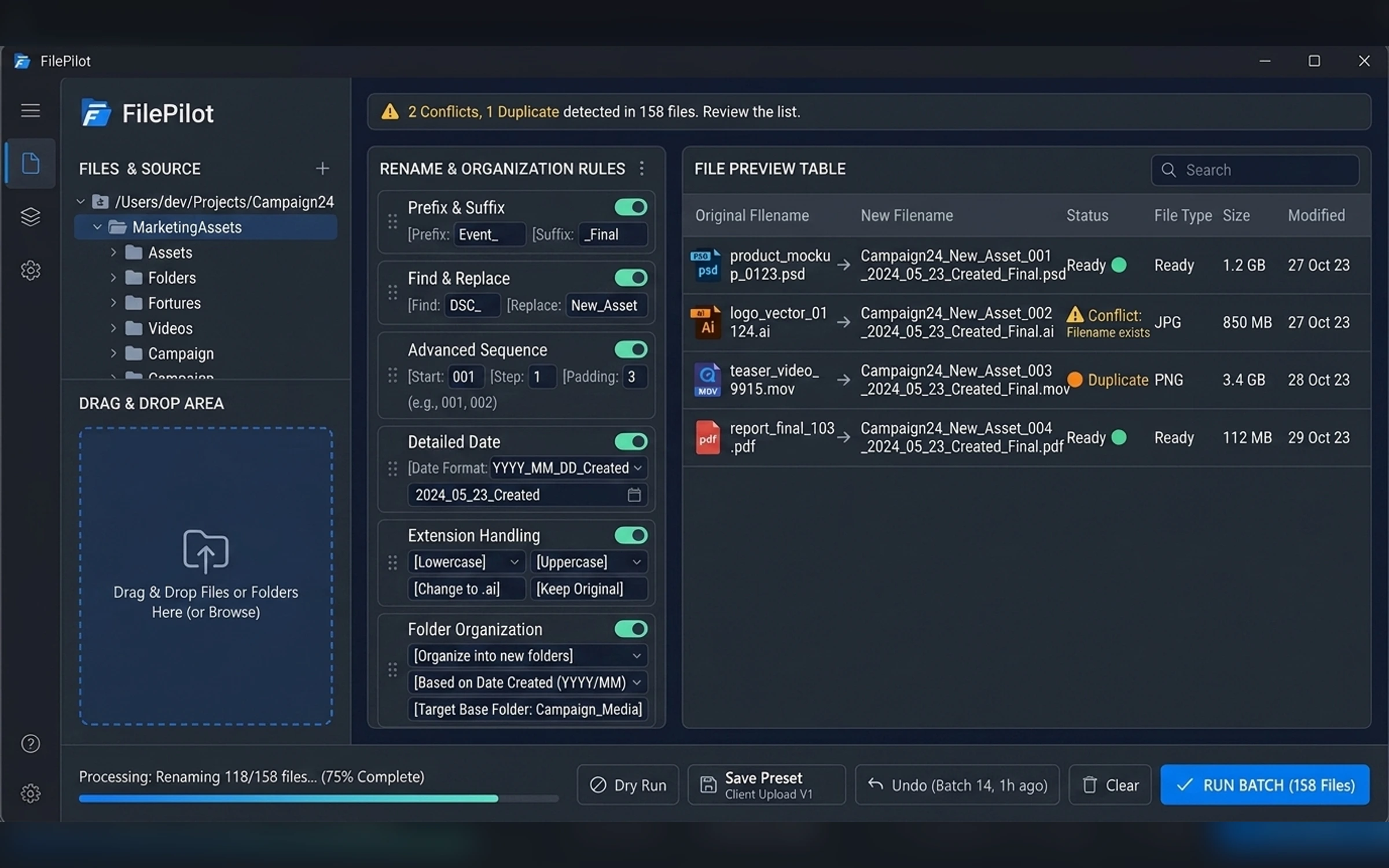
Compact native utility with light and dark modes, clean tables, safe previews, and blue-mint accents.
Recovery and Trust
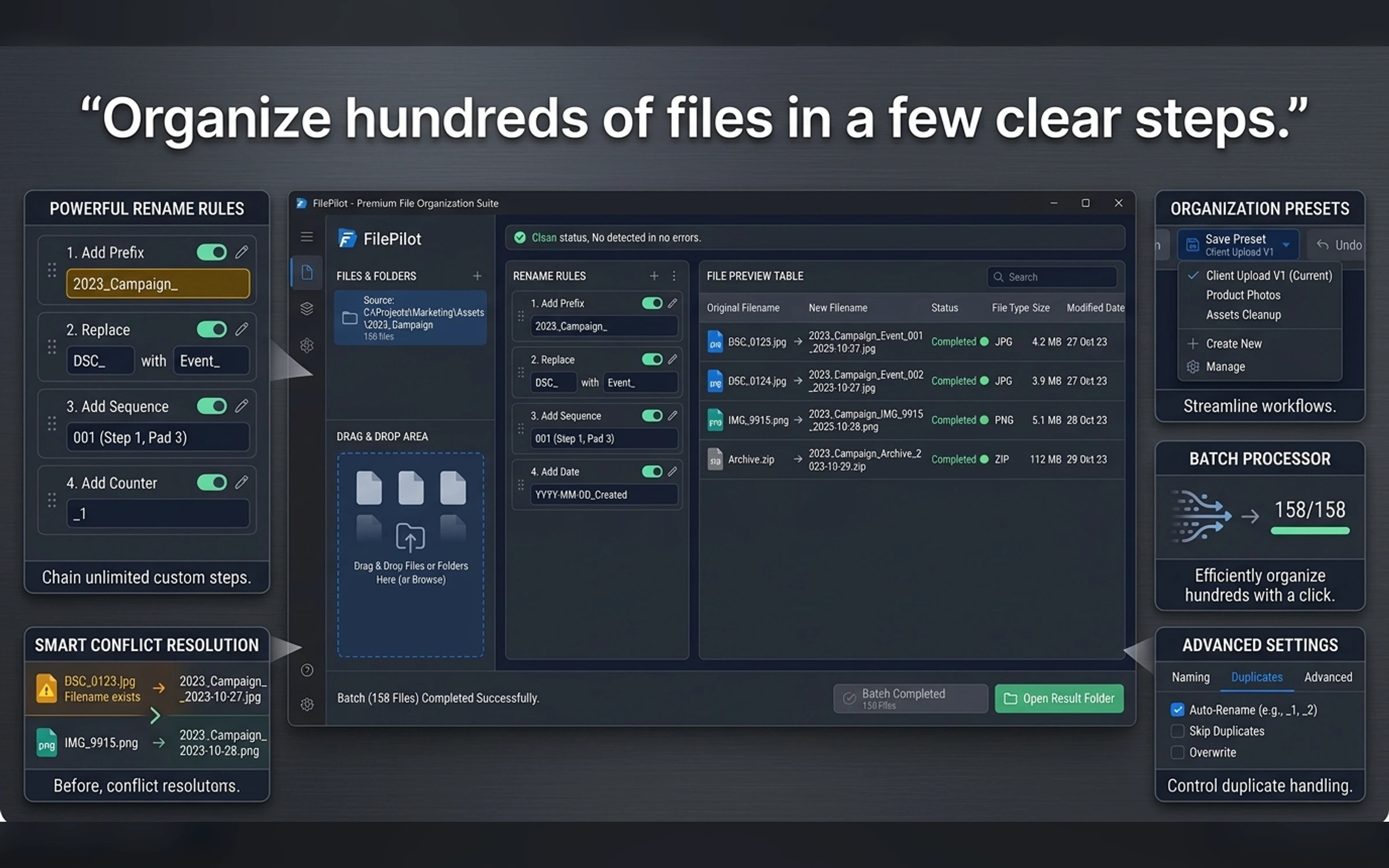
The design makes progress, errors, retries, warnings, and rollback behavior visible before users commit to risky actions.
- Swift concept
- Python
- Batch rules
- Undo history
- Duplicate detection
Final Product Gallery
The gallery follows the supplied Tools and Automation brief, custom cover direction, and exact image manifest.
Portfolio Disclosure
More work from nearby categories.
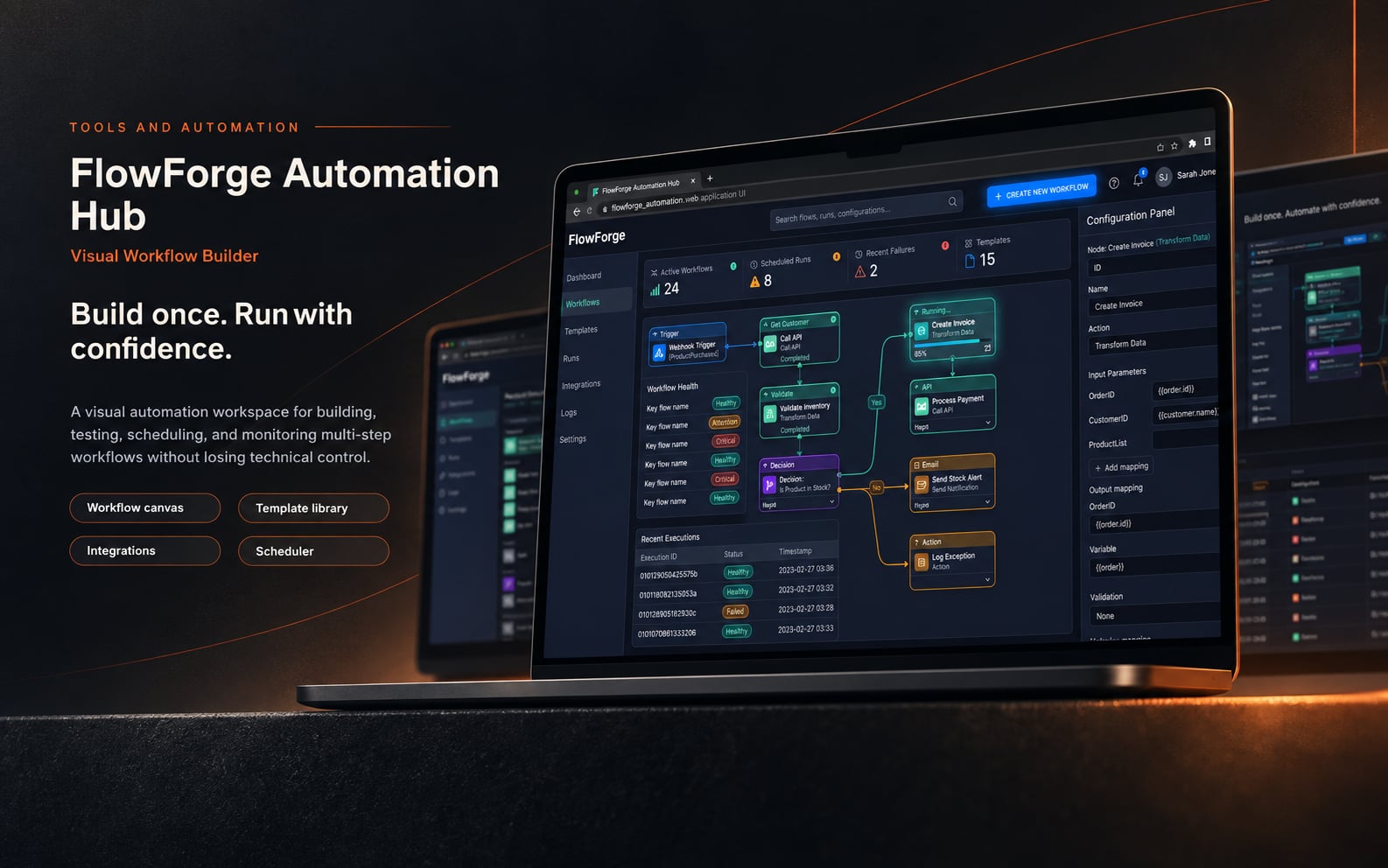
Tools and Automation
FlowForge Automation Hub
FlowForge Automation Hub is a complete visual workflow builder case study combining product strategy, workflow UX, interface design, execution states, recovery, and operational clarity.
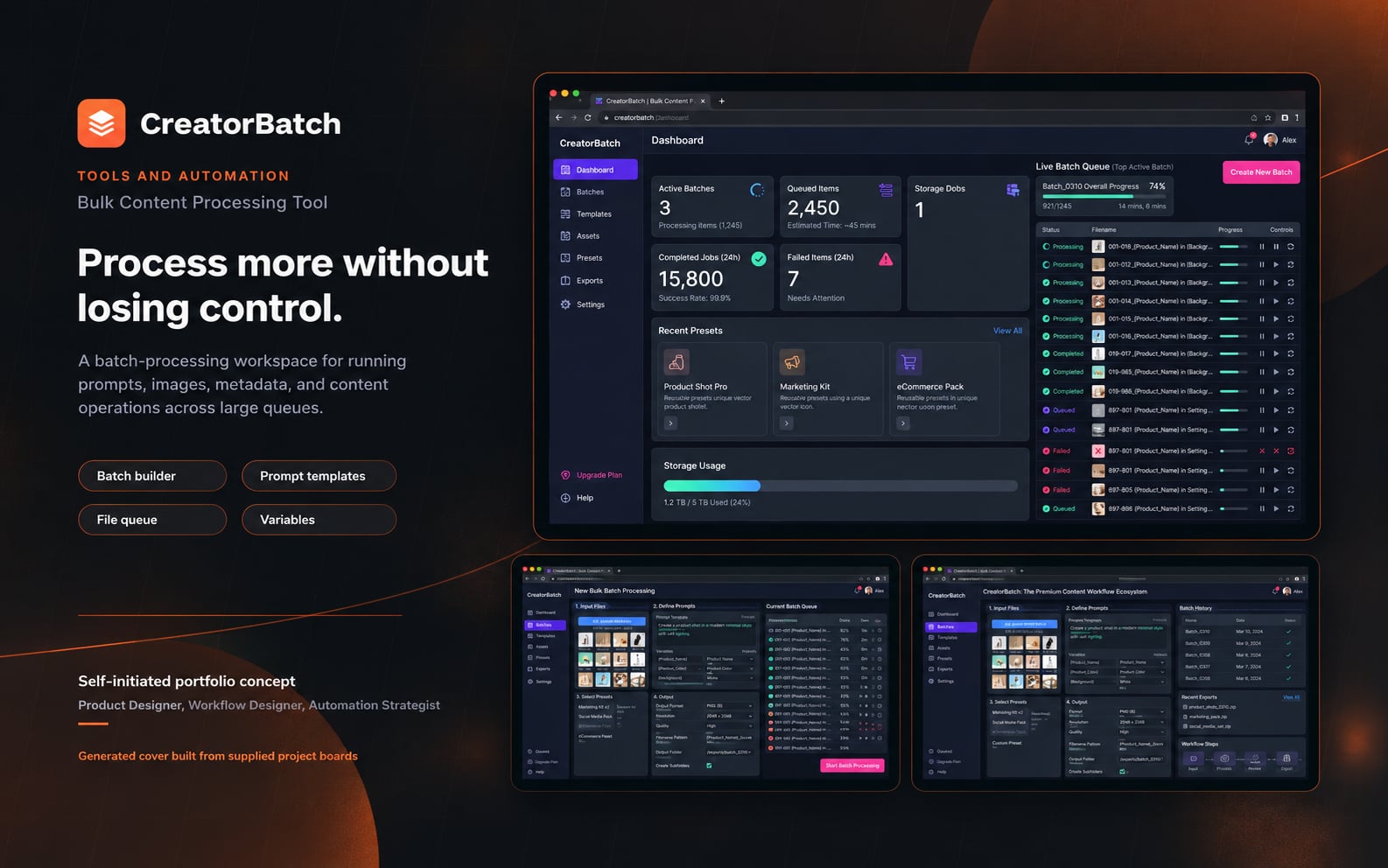
Tools and Automation
CreatorBatch
CreatorBatch is a complete bulk content processing tool case study combining product strategy, workflow UX, interface design, execution states, recovery, and operational clarity.
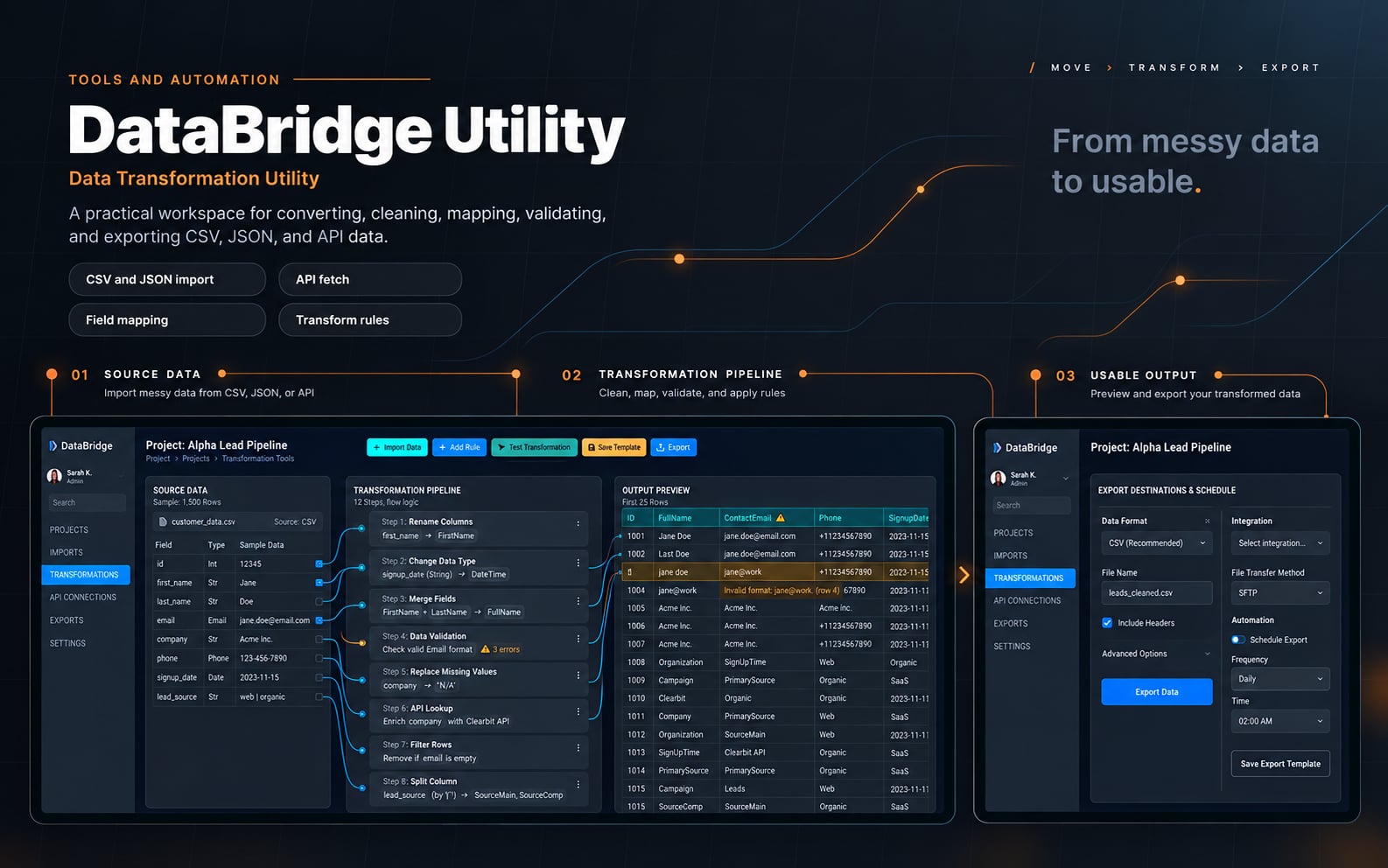
Tools and Automation
DataBridge Utility
DataBridge Utility is a complete data transformation utility case study combining product strategy, workflow UX, interface design, execution states, recovery, and operational clarity.