
FlowForge Automation Hub
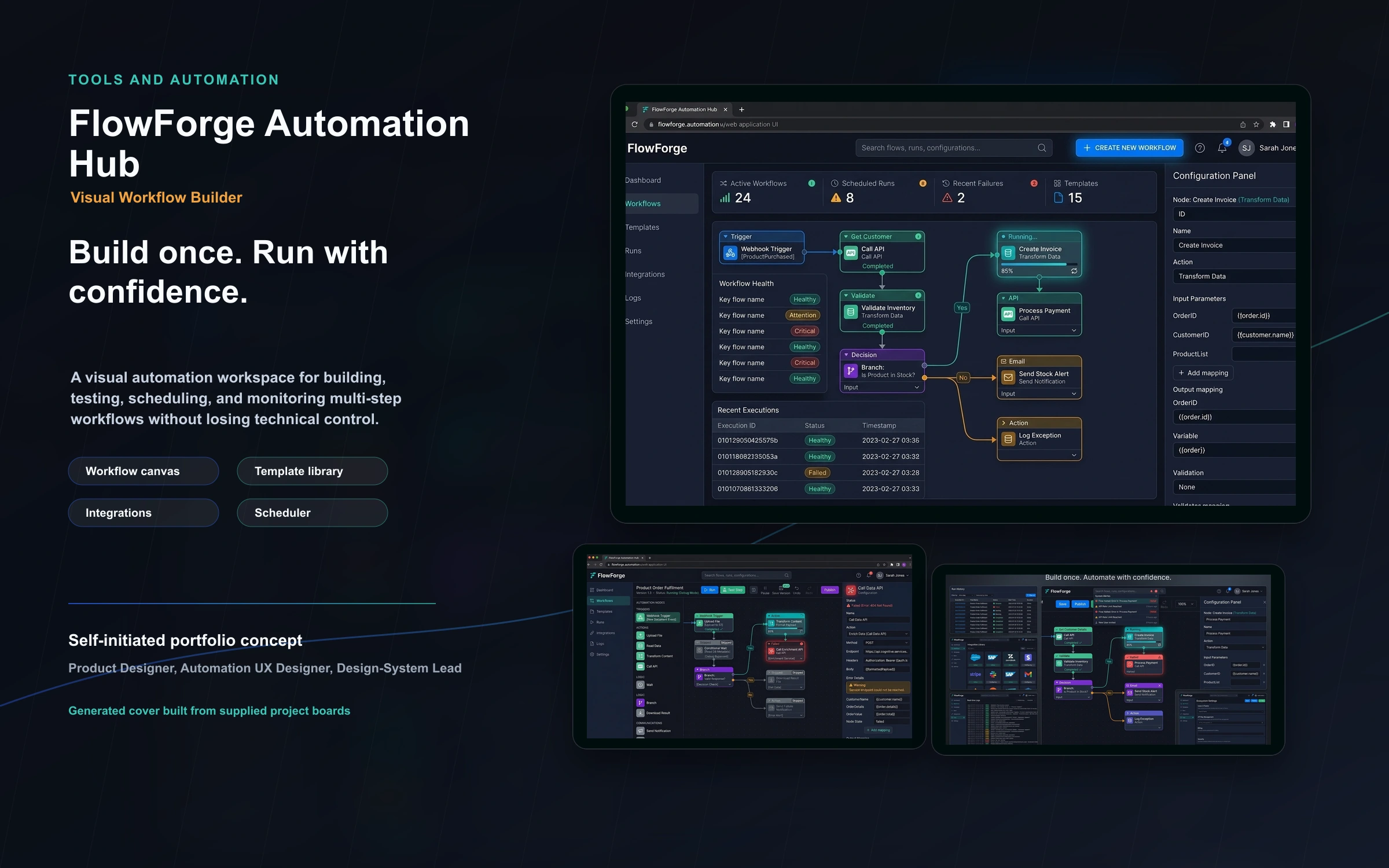
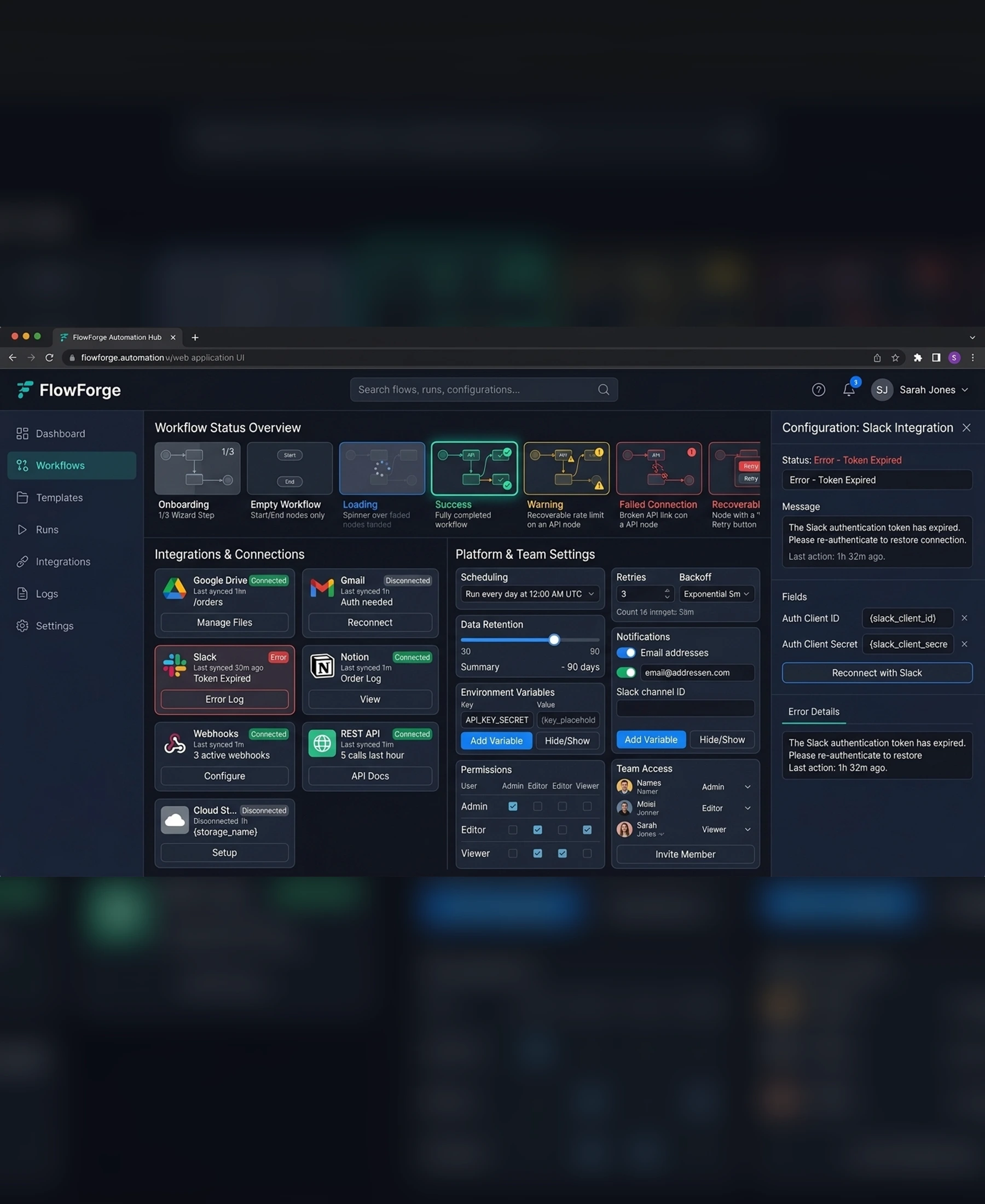
FlowForge Automation Hub is a visual automation workspace for building, testing, scheduling, and monitoring multi-step workflows without losing technical control. The project demonstrates how complex automation and utility workflows can become understandable, controllable, and safe through careful product design.
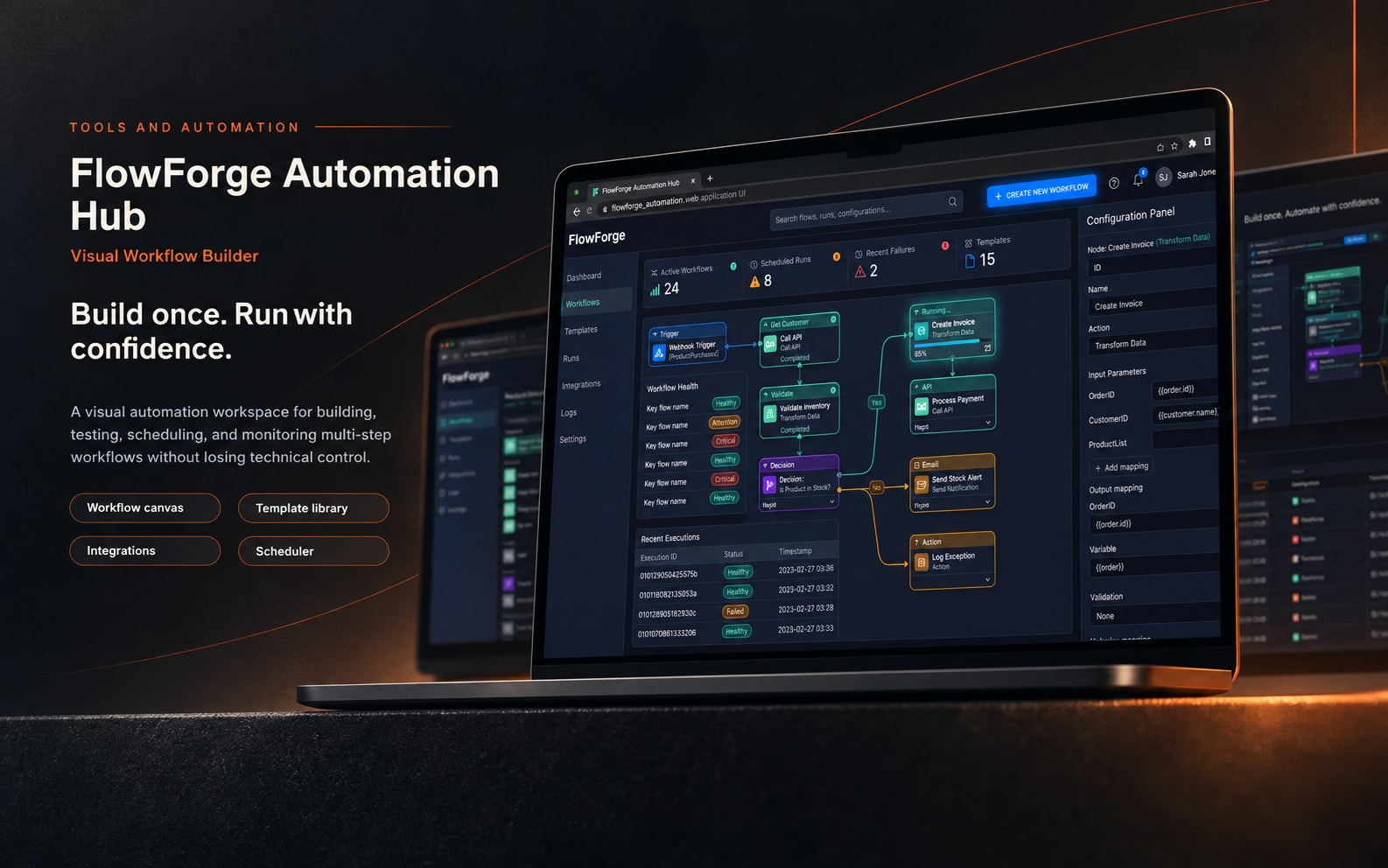
Self-initiated automation platform concept
2026
Product Designer, Automation UX Designer, Design-System Lead
7 weeks
Project Gallery
Images and videos
1 / 5
Product Context
A visual automation workspace for building, testing, scheduling, and monitoring multi-step workflows without losing technical control.
The Challenge
Objectives
The product experience was shaped around safe automation, readable workflows, and recoverable states.
- Create a clear node-based builder
- Support testing, scheduling, retries, and logs
- Design scalable integration management
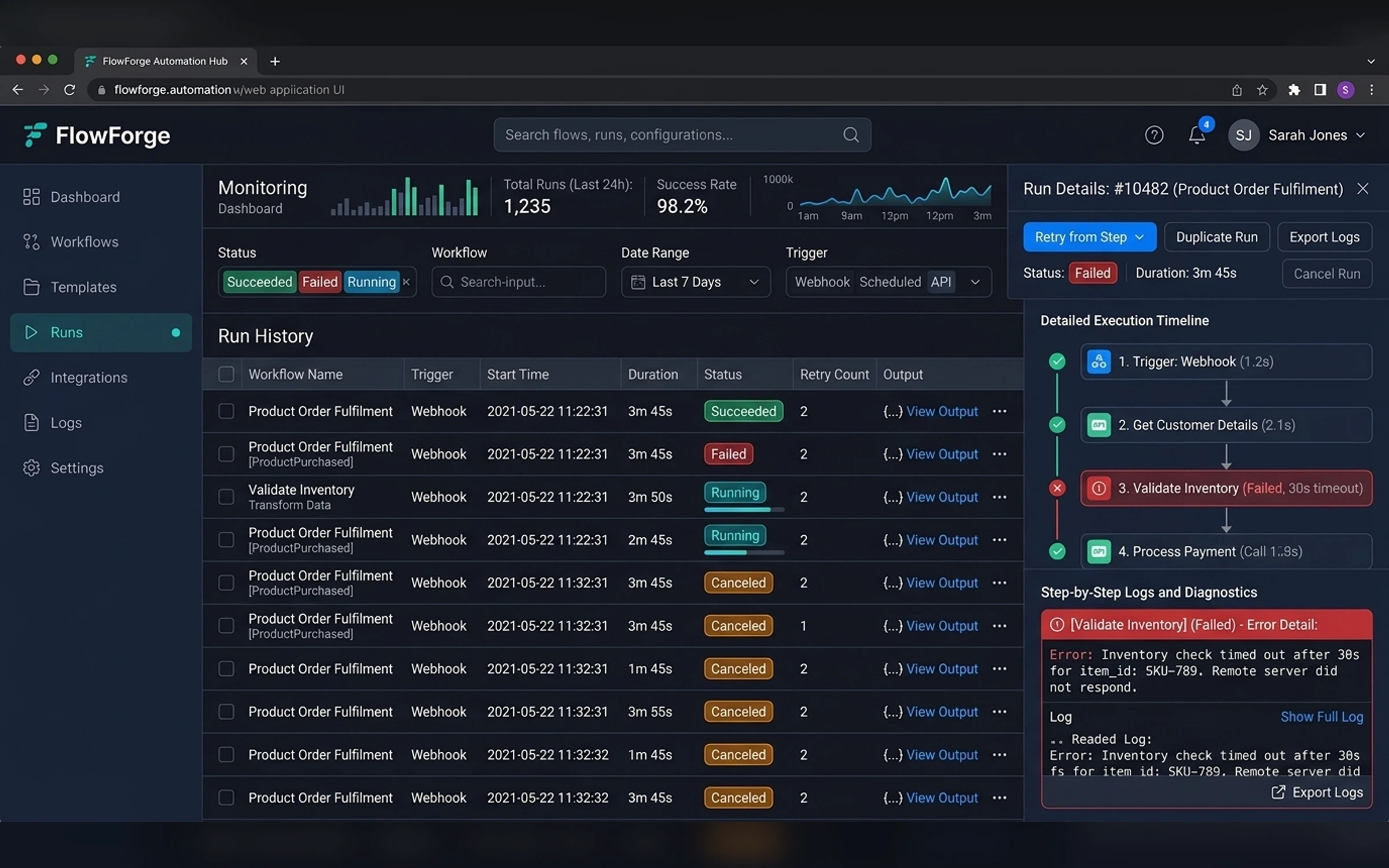
- Make failures understandable and recoverable
- Build responsive monitoring views
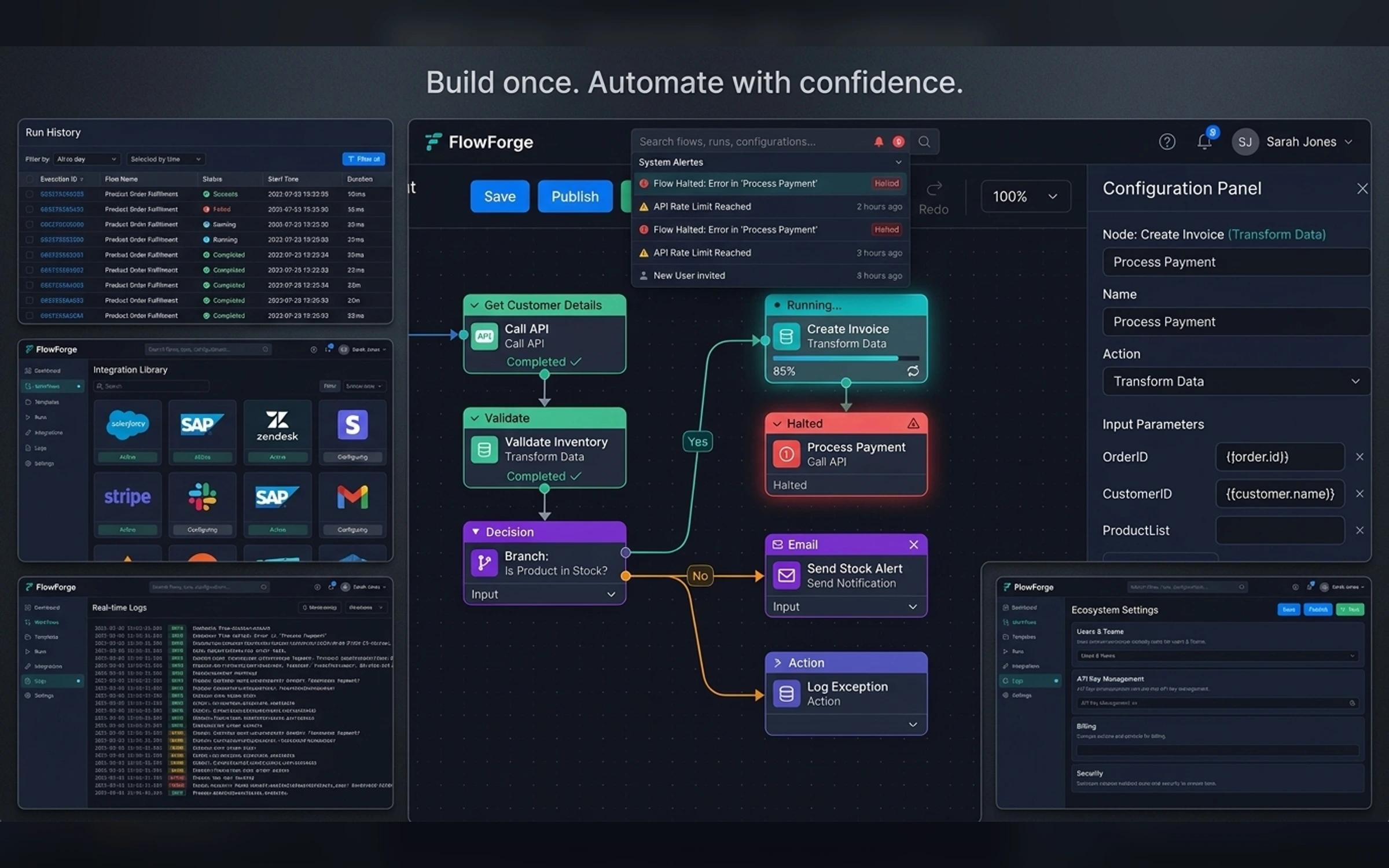
Core Workflow
Build once. Run with confidence.
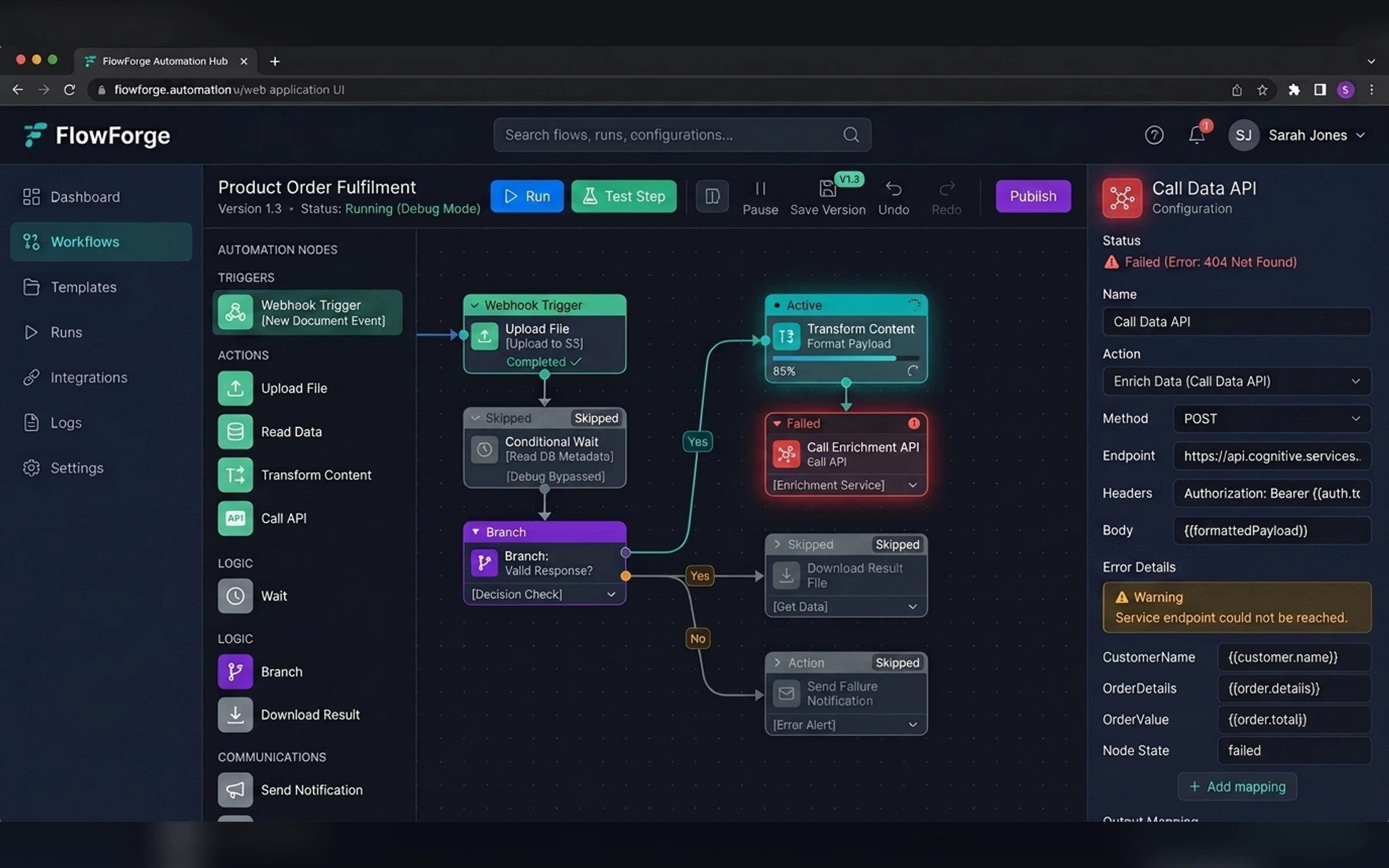
- Workflow canvas
- Template library
- Integrations
- Scheduler
- Run history
- Live logs
- Retry and recovery
- Notifications
Visual Direction
Dark technical interface with graph-like structure, crisp nodes, restrained electric accents, and high information clarity.
Recovery and Trust
The design makes progress, errors, retries, warnings, and rollback behavior visible before users commit to risky actions.
- Next.js
- TypeScript
- Node.js
- Workflow engine concept
- API integrations
Final Product Gallery
The gallery follows the supplied Tools and Automation brief, custom cover direction, and exact image manifest.
Portfolio Disclosure
More work from nearby categories.
Tools and Automation
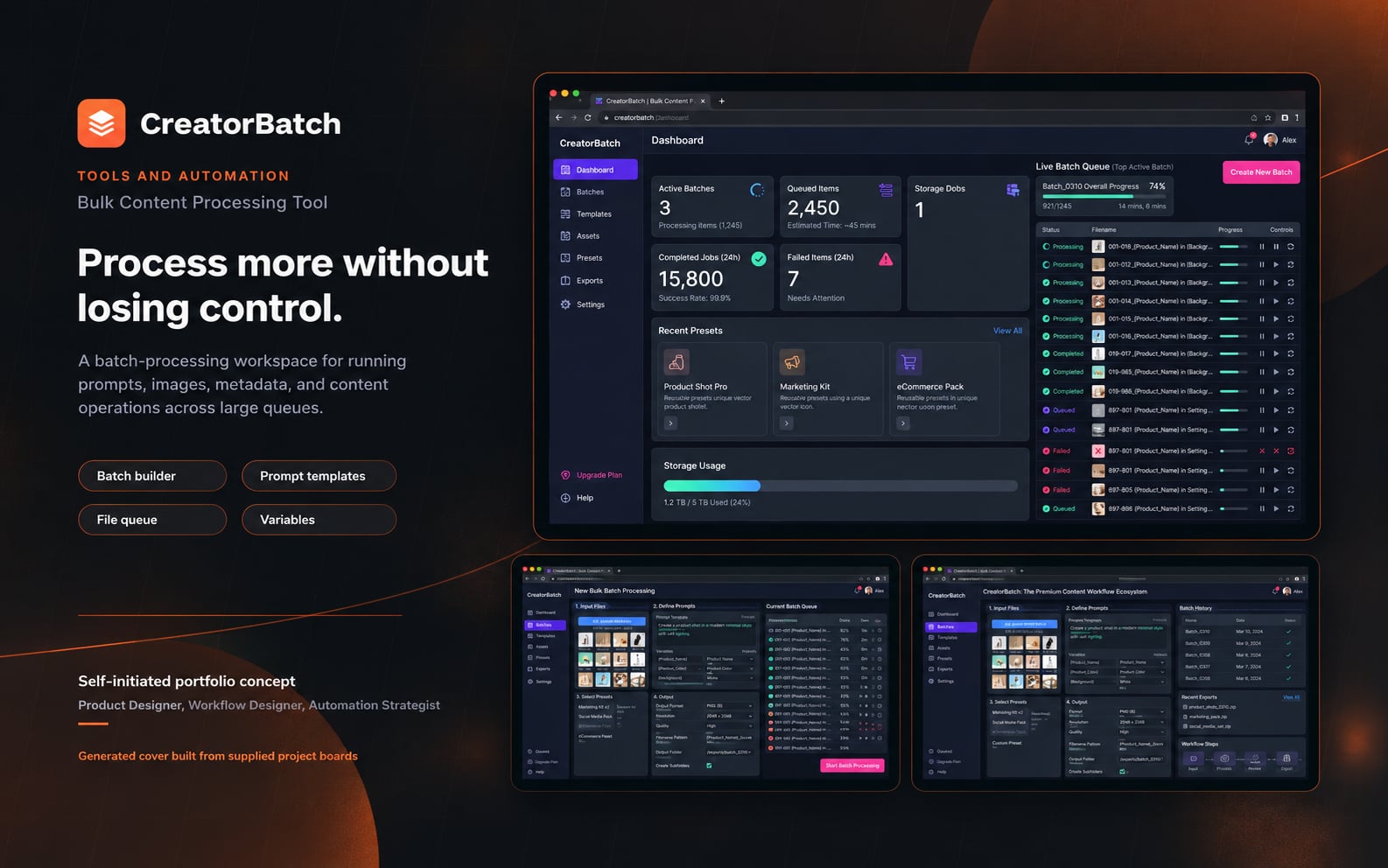
CreatorBatch
CreatorBatch is a complete bulk content processing tool case study combining product strategy, workflow UX, interface design, execution states, recovery, and operational clarity.
Tools and Automation
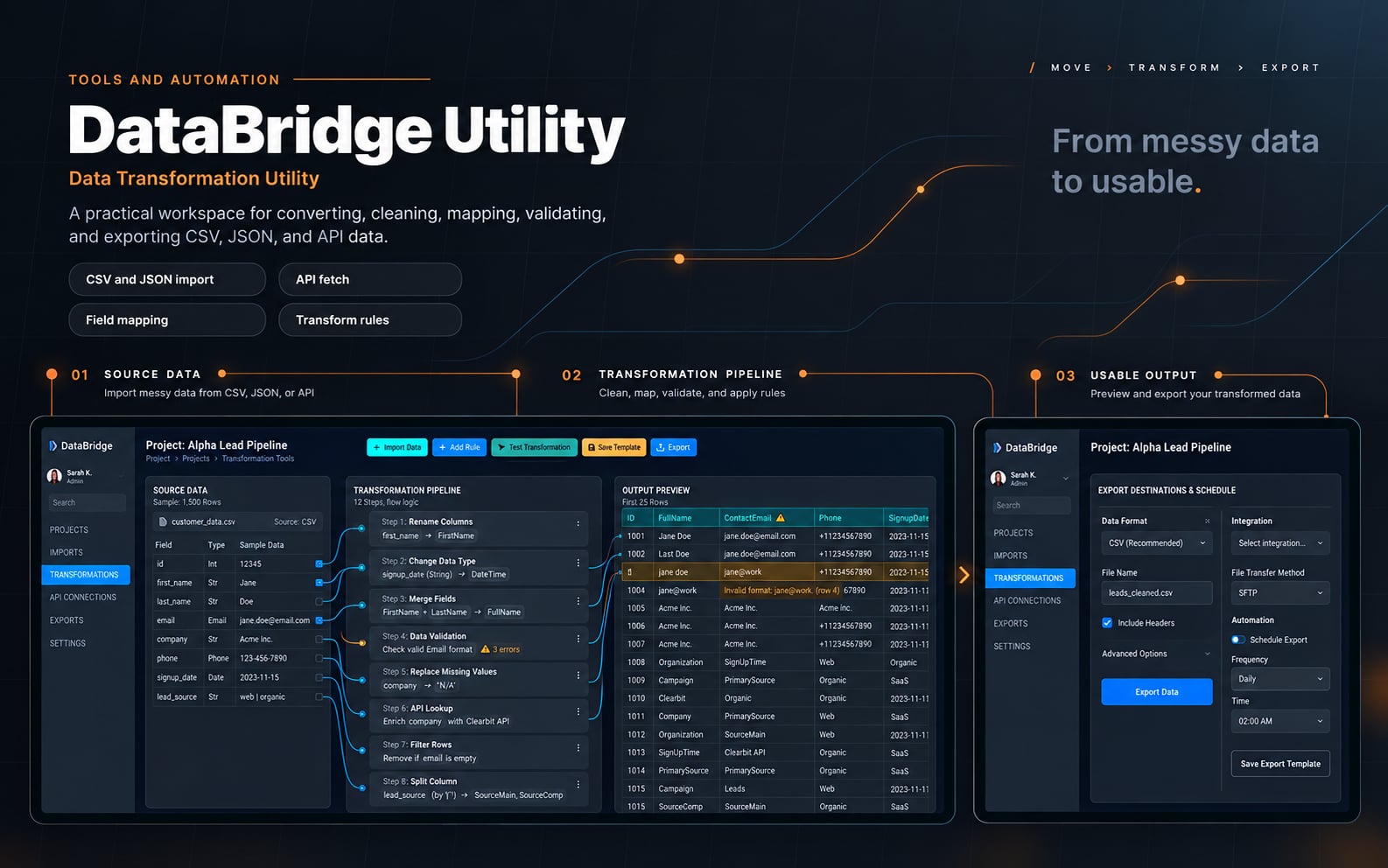
DataBridge Utility
DataBridge Utility is a complete data transformation utility case study combining product strategy, workflow UX, interface design, execution states, recovery, and operational clarity.
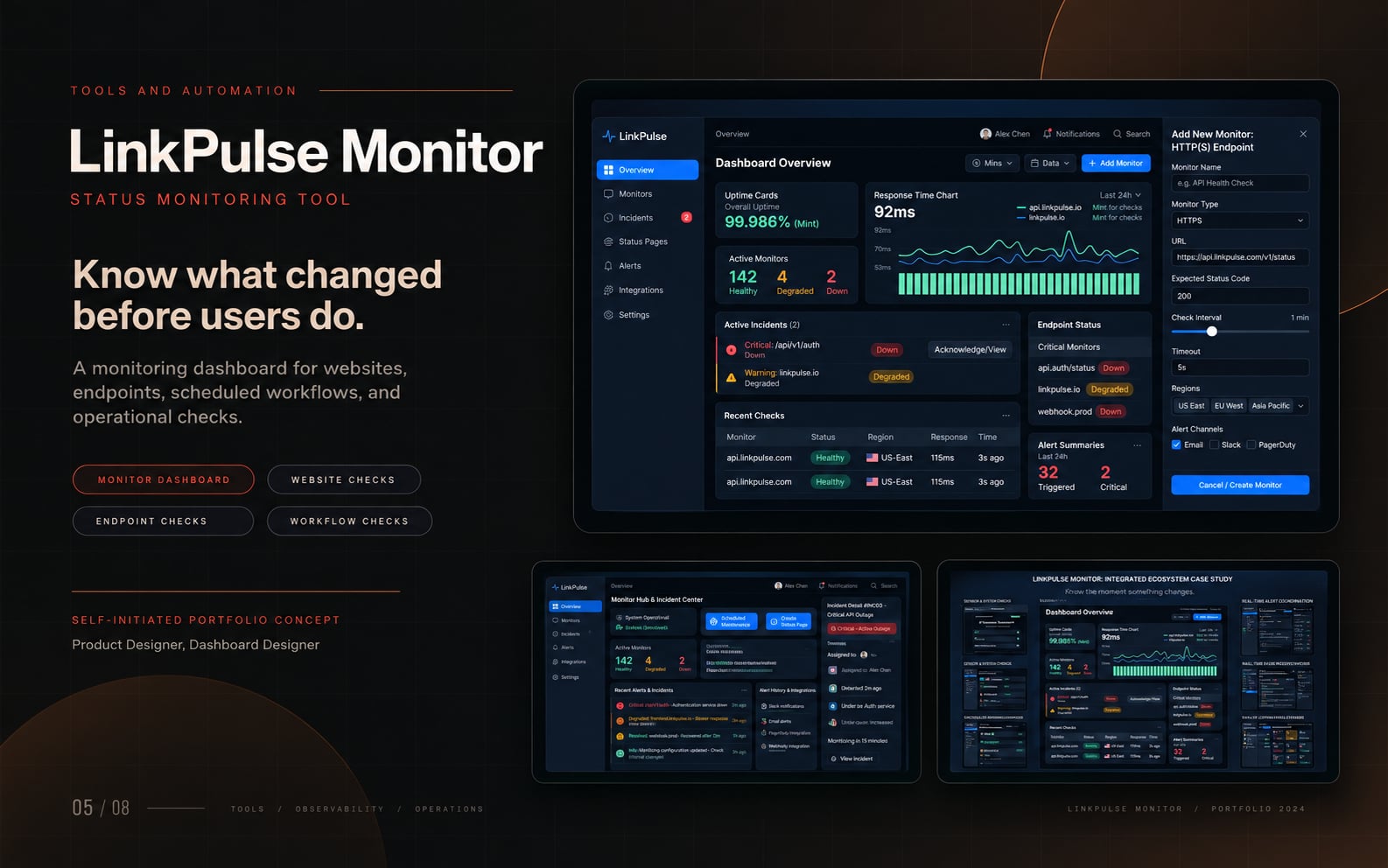
Tools and Automation
LinkPulse Monitor
LinkPulse Monitor is a complete status monitoring tool case study combining product strategy, workflow UX, interface design, execution states, recovery, and operational clarity.